Blog

Type C vs Micro USB Cable Difference: Which Cable Is Better?
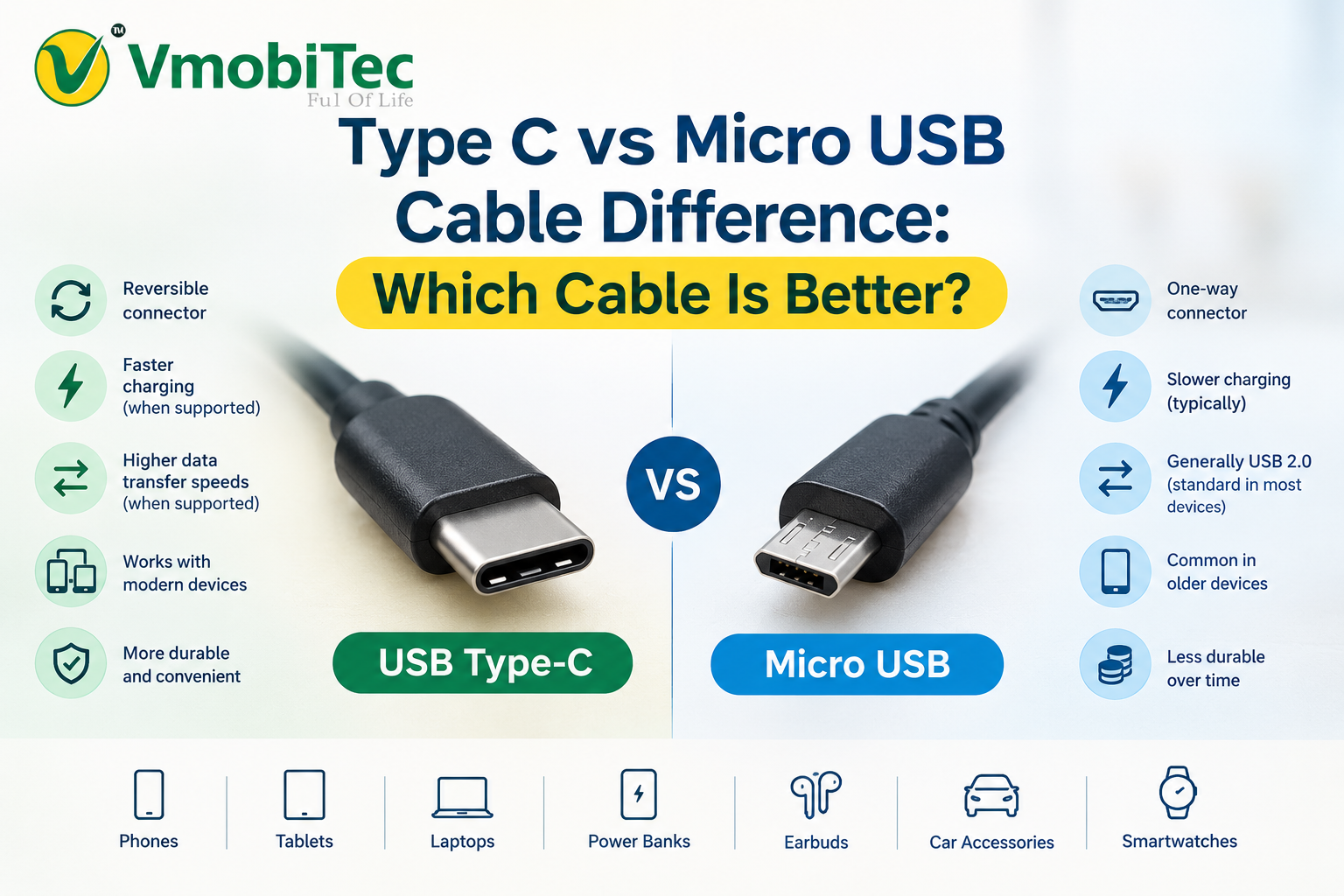
Type C vs Micro USB cable difference mainly comes down to connector design, charging capability, data transfer performance, durability, and ease of use. USB Type-C is a newer, reversible connector that can support faster charging and higher data-transfer speeds depending on the USB standard and cable, while Micro USB is an older connector commonly found on older Android phones, power banks, Bluetooth speakers, and other devices. In general, Type-C is better than Micro USB for modern devices because it offers a reversible design, greater charging potential, and broader support for newer USB technologies. However, the actual charging and data-transfer speed depends on the device, cable, charger, and USB specification being used.
Choosing the right charging cable can affect charging speed, data transfer, durability, and device compatibility. The Type C vs Micro USB cable difference mainly comes down to connector design, charging capability, data standards, convenience, and the devices each connector supports.
USB Type-C has become common across newer Android phones, tablets, laptops, power banks, earbuds, and other electronics, while Micro USB remains widely used in older smartphones, accessories, speakers, cameras, and low-cost electronics. Understanding the difference helps you choose the right cable instead of relying only on connector size or appearance.
This guide compares USB Type C vs Micro USB difference, charging speed, data transfer, durability, compatibility, and practical use. It also explains when a Type C fast charging cable makes more sense and what to check before buying a USB Type C cable in India.
What Is the Difference Between Type C and Micro USB?
The main Type C vs Micro USB cable difference is the connector design and the technology commonly supported by newer Type-C devices. USB Type-C has a reversible connector, while Micro USB has a directional connector that must be inserted correctly.
USB Type-C is a modern connector standard designed to support a broad range of USB technologies. Depending on the device and cable, Type-C can support higher charging power, faster data transfer, video output, and USB Power Delivery.
Micro USB is an older connector commonly associated with USB 2.0 devices. It can still provide reliable charging and data transfer, but its capabilities are generally more limited in modern electronics.
Type C vs Micro USB at a glance
| Feature | USB Type-C | Micro USB |
|---|---|---|
| Connector orientation | Reversible | One-way |
| Common devices | New phones, tablets, laptops, power banks | Older phones, speakers, accessories |
| Charging capability | Can support modern fast-charging systems | Usually more limited |
| Data transfer | Depends on USB specification | Commonly USB 2.0 |
| Durability | Generally more convenient and robust | Older connector design |
| Ease of use | Easy to plug in either direction | Must align correctly |
| Modern device support | Excellent | Declining |
| Long-term choice | Better for newer devices | Suitable for compatible older devices |
The connector alone doesn’t determine charging or data speed. A Type-C cable can still be limited by the USB specification, charger, device, and cable construction.
Type C vs Micro USB Cable: Design and Usability
Type C cables are generally more convenient because the connector is reversible and can be inserted in either orientation. Micro USB connectors have a specific top and bottom orientation, making incorrect insertion more likely.
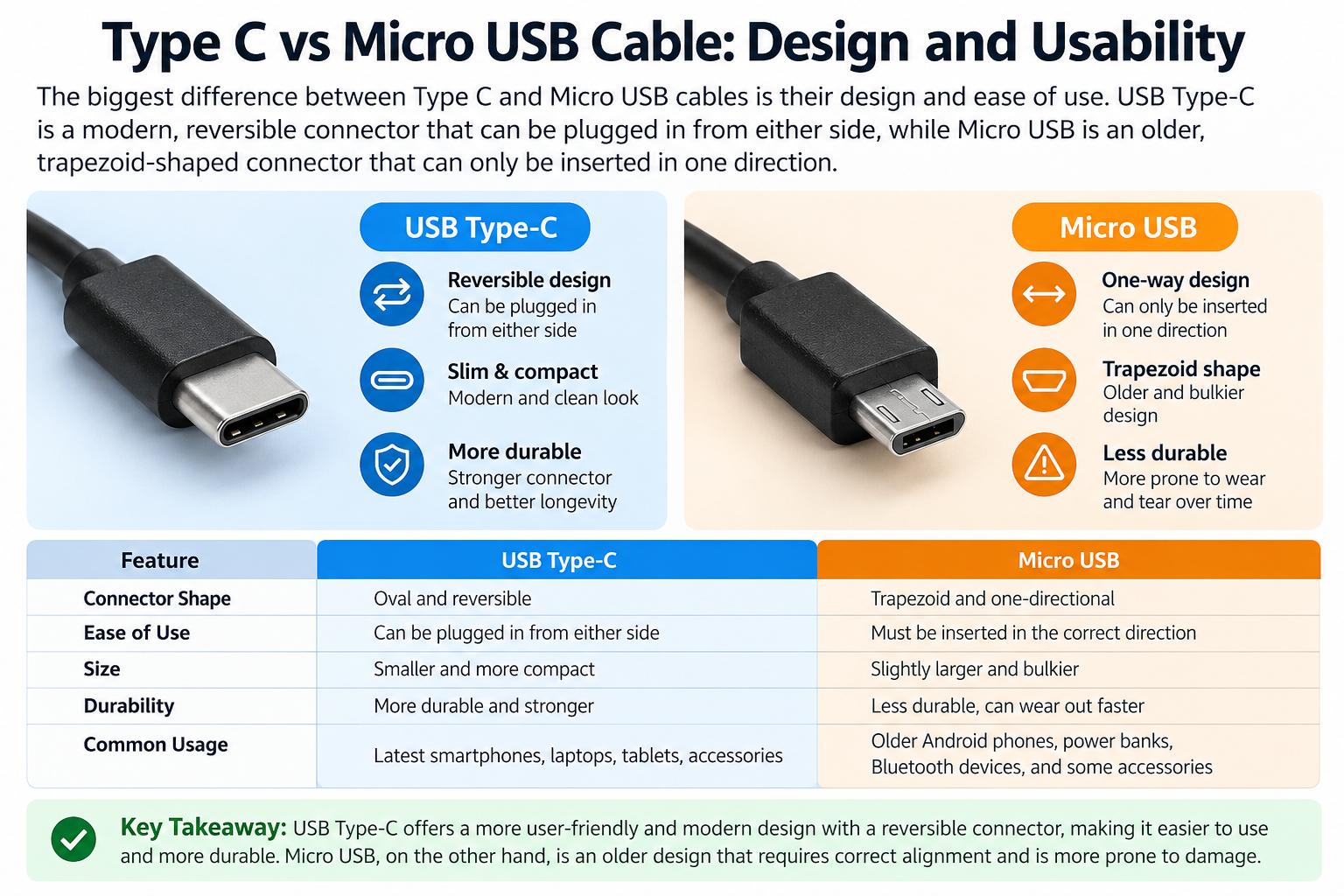
The USB Type-C connector was designed for modern electronics where users increasingly need a single connection for charging, data, peripherals, and other functions.
Reversible Type-C connector
One of the simplest Type C cable advantages over Micro USB is the reversible plug.
You don’t need to check which side is facing upward before connecting a Type-C cable. This is especially useful when charging a smartphone in low light or connecting a device while travelling.
Micro USB requires the connector to be aligned correctly. Repeatedly inserting it incorrectly can also put unnecessary mechanical stress on the port.
Smaller and more modern ecosystem
Type-C is now found across smartphones, tablets, laptops, gaming devices, headphones, power banks, monitors, and other electronics.
The wider ecosystem makes Type-C useful for people who want fewer different cable types around their desk, office, car, or travel bag.
Type C vs Micro USB Charging Speed
Type-C can support faster charging than Micro USB, but the connector itself does not guarantee faster charging. Charging speed depends on the device, charger, cable, charging protocol, power rating, and USB specification.
For example, USB Power Delivery can provide substantially more power than traditional USB charging implementations. Some smartphone manufacturers also use proprietary fast-charging technologies that require compatible chargers and cables.
Type C fast charging depends on the complete charging system
A Type C fast charging cable works effectively only when the connected devices support the required charging technology.
The charging chain includes:
Power adapter → cable → device
If any component has a lower capability, charging performance can be limited.
For example, connecting a high-power charger to an older device won’t necessarily make the device charge at the charger’s maximum output.
Can Type C charge faster than Micro USB?
Yes, Type-C can support faster charging than many Micro USB implementations, particularly when combined with USB Power Delivery or another supported fast-charging protocol.
However, users shouldn’t assume that every Type-C cable is a fast-charging cable. Cable quality, current rating, charger output, device compatibility, and charging protocol all matter.
Type C vs Micro USB Data Transfer Speed
Type-C can support faster data transfer than Micro USB when the cable and connected devices use faster USB specifications. However, USB Type-C is only the connector; it doesn’t automatically mean high-speed data.
A Type-C cable may support USB 2.0 speeds, while other Type-C cables support USB 3.x or newer capabilities.
Micro USB is commonly associated with USB 2.0 implementations, although the Micro USB family has supported other USB specifications in certain implementations.
Why cable specifications matter
Two cables can look almost identical externally while having very different internal capabilities.
When buying a cable for large file transfers, check specifications such as:
- USB 2.0
- USB 3.x
- USB 3.2
- USB Power Delivery support
- Supported charging current
- Data transfer capability
A cable advertised only as a charging cable may not provide the data performance you expect.
Type C vs Micro USB: Which Is Better?
Type-C is generally the better choice for newer devices because it offers a reversible connector and supports a wider range of modern USB capabilities. Micro USB remains a practical choice when the device specifically requires it.
The better cable depends on your device.
If you own a recent Android smartphone, tablet, laptop, power bank, or other Type-C device, choosing a suitable Type-C cable makes more sense than using an adapter with an older connector.
If your device has a Micro USB port, however, buying a Type-C cable alone won’t solve the compatibility issue. You need a cable with the correct connector for the device.
When Type-C is the better option
Choose Type-C when you need:
- Modern smartphone charging
- Fast charging compatibility
- USB Power Delivery
- Reversible connection
- Modern laptop or tablet connectivity
- Potentially faster data transfer
- One cable type for several newer devices
When Micro USB still makes sense
Micro USB remains useful for:
- Older Android phones
- Bluetooth speakers
- Older earbuds
- Cameras and accessories
- Older power banks
- Compatible electronics that haven’t moved to Type-C
The connector should always match the device’s port and required specifications.
Type C Cable Advantages Over Micro USB
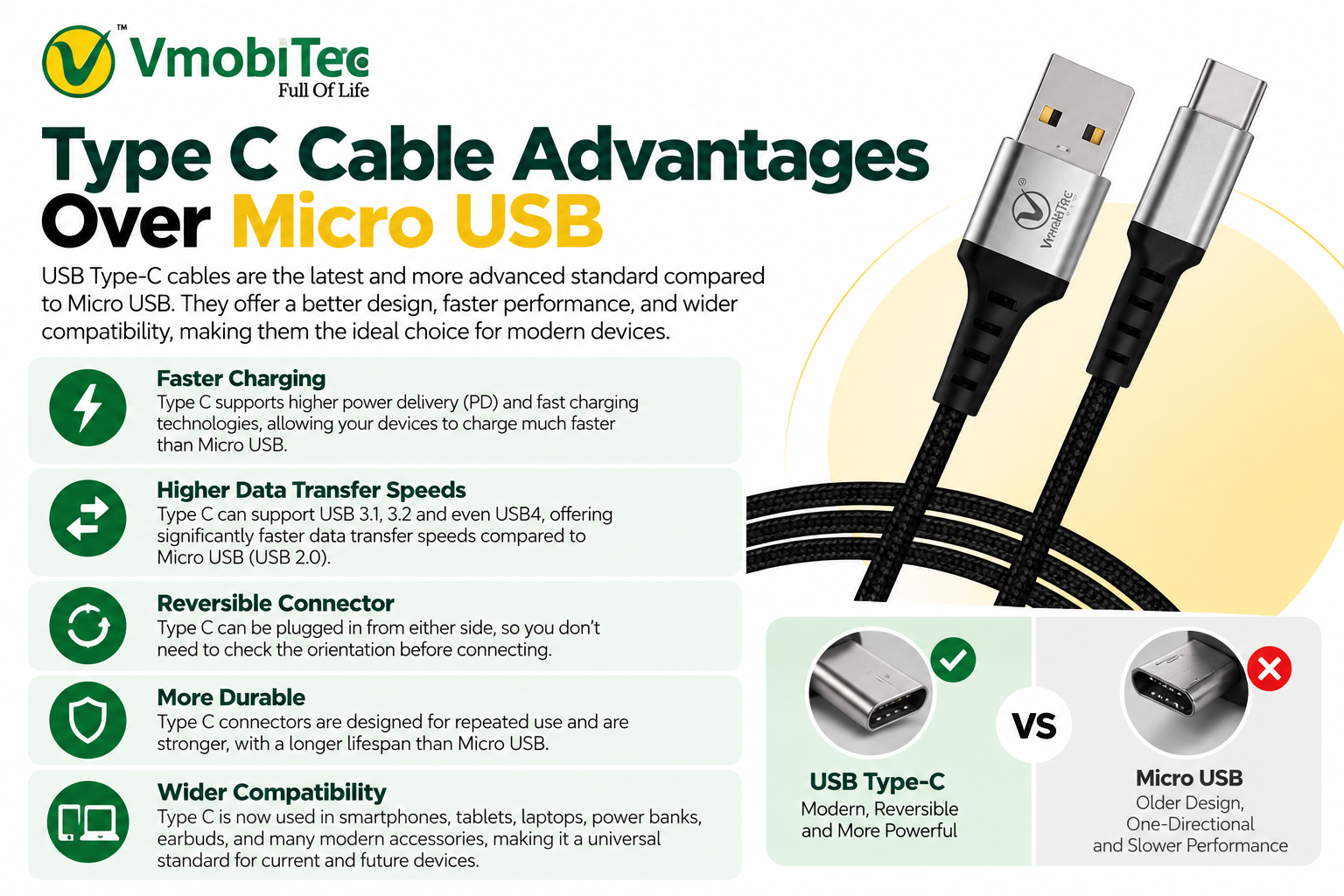
Type C cable advantages over Micro USB include reversible insertion, broader modern-device compatibility, and support for newer charging and data technologies.
1. Reversible connection
Type-C can be plugged in either direction, reducing frustration and making everyday charging easier.
2. Modern charging support
Type-C is widely used with USB Power Delivery and other fast-charging implementations. This makes it suitable for smartphones, tablets, laptops, and high-capacity power banks.
3. Type C vs Micro USB Cable Compatibility
Many current electronics use USB Type-C, allowing one cable type to serve several devices.
4. Higher potential data speeds
USB Type-C can work with faster USB data standards when the device and cable support them.
5. Better long-term compatibility
As manufacturers increasingly use Type-C, Type-C cables are generally a more future-ready purchase for compatible devices.
6. More versatile applications
USB Type-C can be used for more than charging. Depending on the implementation, it can carry data, video, and power through the same connector.
Type C vs Micro USB Cable Comparison
| Category | Type C | Micro USB |
|---|---|---|
| Plugging convenience | Reversible | Requires correct orientation |
| Fast charging potential | High, depending on specifications | More limited in typical implementations |
| Data capability | USB 2.0 to faster standards depending on cable/device | Commonly USB 2.0 |
| USB Power Delivery | Supported by Type-C ecosystem | Not the typical choice for modern USB PD applications |
| New smartphones | Common | Rare |
| Older electronics | Sometimes | Very common |
| Laptop connectivity | Common | Uncommon |
| Power banks | Very common | Still found on older models |
| Future compatibility | Strong | Declining |
| Best use | Modern electronics | Compatible legacy devices |
The biggest point to remember is that USB Type-C describes the connector, not a guaranteed charging or data-transfer speed. Always check the cable and device specifications before purchasing.
How to Choose the Best Type C Charging Cable
The best Type C charging cable should match your device’s charging protocol, power requirements, data needs, and connector configuration. Buying the cheapest cable based only on the Type-C connector can lead to disappointing performance.
1. Type C vs Micro USB Cable Difference
Look at your phone or device specifications to determine the supported charging power and protocol.
A cable rated for the required current and charging system is preferable to an unspecified cable.
2. Check data transfer requirements
If you regularly move large files between your phone and computer, don’t select a cable based only on charging speed.
Look for the supported USB data standard.
3. Check connector configuration
Not every Type-C cable has Type-C connectors on both ends.
Common configurations include:
- USB-A to Type-C
- Type-C to Type-C
- Type-C to Micro USB
- Type-C to Lightning for compatible devices
Choose the configuration that matches your charger and device.
4. Check cable construction
A charging cable is repeatedly bent, pulled, and plugged into devices. Reinforced connectors, quality insulation, strain relief, and durable construction can improve everyday reliability.
5. Don’t confuse wattage with data speed
A cable capable of high charging power isn’t automatically a high-speed data cable.
Charging capability and data-transfer capability should be checked separately.
Type C Cable vs Micro USB Cable for Different Devices
Type-C is better suited to current smartphones, laptops, tablets, and modern accessories, while Micro USB remains useful for older compatible electronics.
| Device | Recommended connector |
|---|---|
| New Android smartphone | Type-C |
| Modern tablet | Type-C |
| Laptop | Type-C where supported |
| Modern power bank | Type-C |
| New wireless earbuds | Usually Type-C |
| Older Android phone | Micro USB if required |
| Older Bluetooth speaker | Micro USB if required |
| Older power bank | Micro USB if required |
| Modern gaming accessories | Usually Type-C |
| Older camera/accessory | Check device port |
The correct choice is always determined by the device’s physical port and supported specifications.
Why Are Phones Switching From Micro USB to Type C?
Phones are switching from Micro USB to Type-C because Type-C provides a more versatile connector for modern charging, data, and device connectivity.
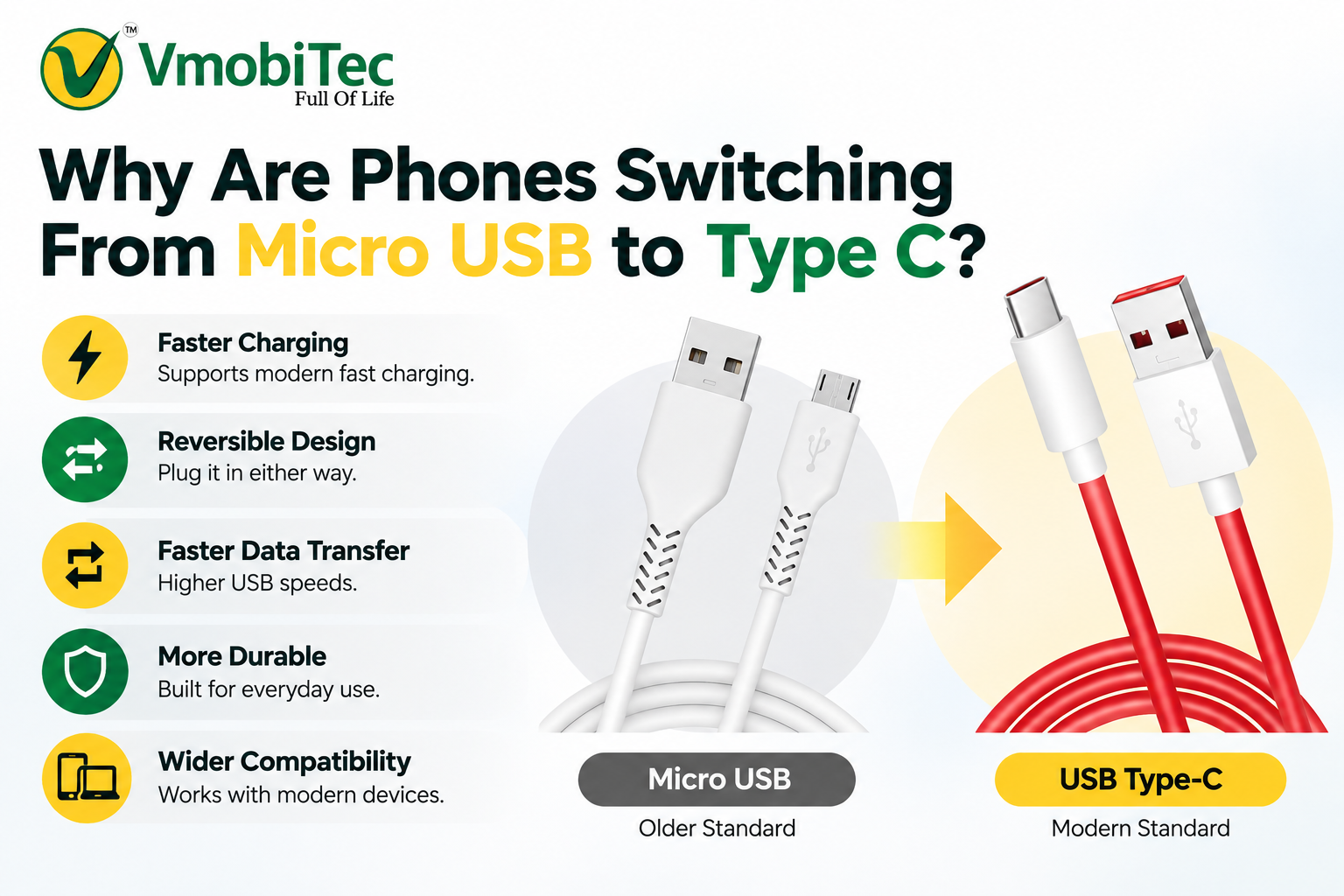
The reversible connector improves usability, while the Type-C ecosystem supports modern USB technologies and higher-power charging applications.
The shift also reduces the need for different connector designs across newer electronics. Consumers can increasingly use compatible Type-C chargers and cables across phones, tablets, laptops, headphones, and power banks.
For manufacturers, Type-C also provides a flexible physical interface that can support different capabilities without changing the basic connector shape.
Choosing a USB Type C Cable in India
When buying a USB Type C cable in India, focus on compatibility and specifications rather than price alone.
A suitable cable should clearly communicate its intended charging and data capabilities. Look for details such as supported power, current rating, USB specification, connector type, cable length, and construction.
For everyday smartphone charging, a reliable Type-C cable from an established accessories brand can be a practical choice. VMobiTec offers charging accessories designed around common mobile-device requirements, including USB cables and charging solutions.
Understanding the difference between USB-C vs PD charging can help you choose the right charger and cable for your device. USB-C refers to the connector type, while USB Power Delivery (PD) is a charging technology that can deliver higher power to compatible devices. If you want to understand how USB-C and fast-charging technologies compare, check our detailed guide on USB-C vs PD charging for a clearer explanation of charging speeds, compatibility, and power requirements.
For example, a cable such as the VMobiTec VC-1003-L is designed for Lightning-device connectivity, while VMobiTec also offers Type-C charging cable options for compatible devices. Always match the specific cable connector with the port on your phone and charger.
When comparing Type C vs Micro USB cable difference, understanding the official USB Type-C specifications can help you make a more informed choice. The USB Implementers Forum (USB-IF) explains that USB Type-C features a reversible plug orientation and is designed to support scalable power and performance for modern devices. For detailed technical information, see the official USB Type-C Cable and Connector Specification from USB-IF.
Frequently Asked Questions About Type C vs Micro USB Cable Difference
Q: What is the difference between Type C and Micro USB?
A: Type-C is a newer, reversible connector designed for modern USB applications, while Micro USB is an older connector commonly used on legacy electronics. Type-C supports a broader range of charging and data technologies, although actual performance depends on the cable, device, charger, and USB specification.
Q: Which is faster, Type C or Micro USB?
A: Type-C can be faster for both charging and data transfer when the connected devices and cable support appropriate USB standards or charging protocols. However, Type-C alone doesn’t guarantee higher speed. A Type-C cable using USB 2.0 can have slower data performance than a cable using a faster USB specification.
Q: Which cable is better, Type C or Micro USB?
A: Type-C is generally better for newer compatible devices because its reversible connector is easier to use and its ecosystem supports modern charging and data technologies. Micro USB is still suitable for older devices that specifically use a Micro USB port. Compatibility should always come before connector preference.
Q: Is Type C better than Micro USB?
A: For most modern electronics, Type-C is the more versatile option. It supports a wider range of current USB applications and offers reversible insertion. Micro USB remains useful for older devices, so Type-C isn’t automatically better if the device was designed specifically for Micro USB.
Q: Can Type C charge faster than Micro USB?
A: Yes. Type-C can support higher charging capabilities when paired with compatible devices, chargers, cables, and protocols such as USB Power Delivery. Charging speed isn’t determined by the connector alone. The complete charging system must support the required power level for faster charging to occur.
Q: Does Type C transfer data faster than Micro USB?
A: Type-C can support faster data transfer when the cable and devices use faster USB standards. However, Type-C is a connector specification rather than a guaranteed data speed. Some Type-C cables use USB 2.0, so buyers should check the cable’s actual data-transfer specification.
Q: Why are phones switching from Micro USB to Type C?
A: Phones are moving to Type-C because the connector is reversible and supports a wider range of modern charging and data technologies. Type-C also fits the broader ecosystem of current smartphones, tablets, laptops, headphones, and power banks, making it a more versatile interface for modern electronics.
Final Verdict: Type C vs Micro USB Cable Difference
The Type C vs Micro USB cable difference goes beyond connector shape. Type-C offers a reversible design and a broader platform for modern charging and data technologies, while Micro USB remains relevant for older compatible devices.
For a new smartphone, tablet, power bank, or other Type-C device, a properly rated Type C fast charging cable is usually the better long-term choice. Before purchasing, verify charging power, USB data standard, connector configuration, and device compatibility.
If you’re comparing charging accessories, explore VMobiTec’s range of mobile charging cables and accessories to find options suited to your device.