

Blog

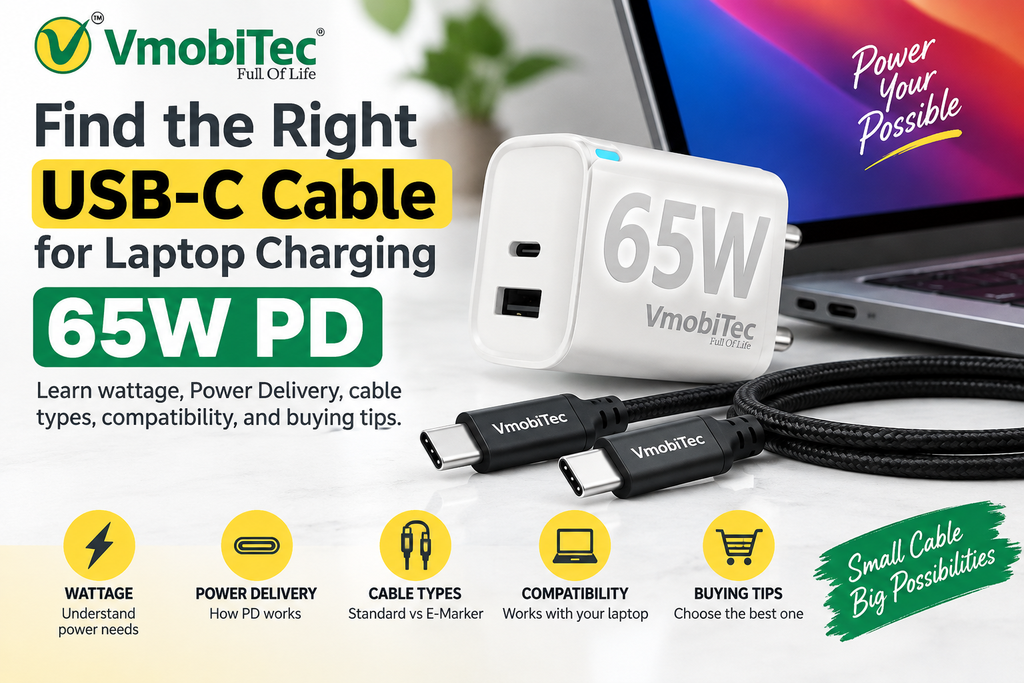
USB-C Cable for Laptop Charging 65W PD: Complete Guide
A USB-C cable for laptop charging 65W PD is a USB-C-to-USB-C cable designed to support up to 65W of power delivery when the laptop, charger, and cable are compatible with the required USB Power Delivery specifications. For reliable 65W laptop charging, check the laptop’s USB-C charging requirement, the charger’s PD output, and the cable’s stated power rating. A 65W-rated USB-C PD cable can also be suitable for compatible tablets, smartphones, and other USB-C devices, but actual charging speed depends on the device and charger.
USB-C PD vs Quick Charge
USB-C Power Delivery (USB PD) and Qualcomm Quick Charge are fast-charging technologies that regulate how compatible chargers and devices deliver power. usb-c cable for laptop charging 65w pd USB PD is widely used across USB-C laptops, tablets, smartphones, and other devices, while Quick Charge is developed by Qualcomm for compatible devices and chargers. The right technology depends on the device, charger, cable, and supported charging protocol. Read our guide on USB-C PD vs Quick Charge to understand the differences in charging technology, compatibility, power delivery, and everyday use.
Multi-Port Charger for Charging Two Phones at Once
A multi-port charger for charging two phones at once allows two compatible smartphones to receive power from a single wall charger. Charging performance depends on the charger’s total wattage, individual port output, USB-C Power Delivery support, and how power is distributed when both ports are used. For reliable dual-device charging, choose a charger that provides sufficient combined output and supports the charging standards used by both phones. Read our guide on multi-port charger for charging two phones at once to learn what specifications to check before buying.
A laptop charger is only as effective as the cable connecting it to your device. The right USB-C cable for laptop charging 65W PD can deliver the power your compatible laptop needs while supporting safe, efficient charging.
A 65W USB-C Power Delivery cable is designed for laptops that accept USB-C charging and require up to 65 watts of power. However, not every USB-C cable supports the same charging capacity, data speed, or construction quality. Understanding Power Delivery, wattage ratings, connector types, and compatibility helps you choose a cable that actually matches your laptop and charger.
This guide explains what to look for in a 65W USB-C PD cable, how USB-C Power Delivery works, and when a USB-C to USB-C cable is suitable for laptop charging.
What Is a USB-C Cable for Laptop Charging 65W PD?
A USB-C cable for laptop charging 65W PD is a USB-C-to-USB-C charging cable designed to support USB Power Delivery at power levels up to 65 watts when paired with compatible chargers and devices.
USB Power Delivery, commonly called USB PD, is a charging technology that allows compatible devices and power sources to negotiate an appropriate voltage and current. The actual charging speed depends on the laptop, charger, cable, and charging protocol working together.
For example, a laptop requiring 65W can use a compatible 65W USB-C charger and suitable USB-C PD cable. A cable rated for lower power may not be appropriate for that charging requirement.
How 65W USB-C Power Delivery Works
USB PD allows the charger and laptop to communicate about the available power. Instead of simply sending maximum power continuously, the system negotiates a suitable power level.
A typical 65W charging setup can include:
- USB-C laptop — accepts charging through its USB-C port.
- USB-C PD charger — provides compatible Power Delivery output.
- USB-C to USB-C cable — carries power between the charger and laptop.
- PD negotiation — the devices establish an appropriate charging profile.
The cable therefore forms an essential part of the charging chain. A 65W charger doesn’t automatically mean every connected USB-C cable will provide a suitable 65W charging experience.usb-c cable for laptop charging 65w pd
Why Choose a 65W USB-C PD Cable for Laptop Charging?
A 65W USB-C PD cable provides a practical charging option for many USB-C laptops, compact notebooks, tablets, and other compatible devices.
The main advantage is matching the cable’s power capability with the laptop’s charging requirements. This can help avoid using an under-rated cable in a setup designed for higher-power charging.
Supports Higher-Power USB-C Charging
A properly rated cable can support power delivery appropriate for compatible 65W charging systems. This makes it suitable for many everyday laptop charging setups.
One Cable for Charging and Connectivity
USB-C cables can support more than charging, but capabilities vary significantly between cables. Some are designed primarily for power, while others support higher-speed data or video features.
For laptop users, checking the complete cable specification is essential rather than assuming every USB-C cable has identical capabilities.
Convenient USB-C to USB-C Connection
Modern USB-C laptops increasingly use USB-C ports for charging. A USB-C to USB-C 65W cable connects the laptop directly to a USB-C PD charger without requiring a USB-A adapter.
USB-C Laptop Charging Cable: What Should You Check?
A USB-C laptop charging cable should be selected based on power rating, connector type, length, construction, and the requirements of the laptop and charger.
Power Rating
Check whether the cable supports the required charging power. For a 65W laptop charging setup, look for a cable explicitly rated for 65W or higher where appropriate.
A higher-rated cable can provide additional headroom, but the connected charger and laptop still determine the actual charging power.
USB-C Connector Type
For modern USB-C laptop chargers, a USB-C-to-USB-C cable is generally the relevant configuration.
Do not assume that a USB-C connector automatically means USB PD or 65W support. USB-C describes the physical connector standard, while charging and data capabilities depend on the cable’s specifications.
Cable Length
Cable length affects convenience and cable management. A 1-meter cable works well for desk charging, while a longer cable can be useful when the power socket is farther away.
Longer cables should still have appropriate construction and power specifications for the intended application.
Data Capability
Some laptop users need the cable for charging and data transfer. Others only need charging.
If you intend to connect external SSDs, smartphones, docks, or other peripherals, check the cable’s stated USB data speed separately from its charging rating.
65W Type-C Charging Cable vs Standard USB-C Cable
The term USB-C identifies the connector, not the complete performance specification. A 65W Type-C charging cable is specifically marketed or rated for higher-power charging, while a basic USB-C cable may have a different power capability.
| Feature | 65W Type-C Charging Cable | Basic USB-C Cable |
|---|---|---|
| Connector | USB-C | USB-C |
| 65W charging | Designed for compatible 65W systems | May not support 65W |
| Laptop charging | Suitable when specifications match | Depends on rating |
| Power Delivery | May support USB PD | Depends on cable |
| Data performance | Varies by model | Varies by model |
| Best use | Compatible laptops and high-power devices | General USB-C applications |
The connector alone doesn’t determine performance. Always check the manufacturer’s specifications before using a cable for laptop charging.
USB-C Power Delivery Cable: Key Features to Look For
A USB-C Power Delivery cable should provide clearly stated specifications rather than relying only on marketing terms.
65W or Higher Power Support
Choose a cable that meets or exceeds the power requirement of the intended laptop charging setup.
Quality Connectors
Durable connector housings and properly constructed cable ends can help withstand repeated plugging and unplugging.
Strong Cable Construction
A reinforced cable can be useful for daily laptop charging, especially when the cable is frequently bent or transported in a laptop bag.
Clear Product Specifications
Look for clearly stated power, connector, length, and data specifications. Transparent product information makes compatibility easier to verify.
E-Marker Considerations
Some USB-C cables use an electronically marked cable, commonly called an E-Marker, to communicate cable capabilities in higher-power or higher-performance USB-C applications.
The exact requirements depend on the power level and USB-C implementation. Buyers should therefore follow the cable manufacturer’s stated specifications instead of assuming every 65W cable needs identical internal components.
Fast Charging USB-C Cable for Laptop: Does the Cable Matter?
Yes. A fast charging USB-C cable for laptop can be an important part of a high-power USB PD setup, but the cable alone doesn’t determine charging speed.
The laptop and charger must support the required USB PD charging profile. The cable must also be capable of carrying the required power.
For example, if a laptop supports 65W USB PD but the charger only provides 30W, changing to a 65W cable won’t turn the 30W charger into a 65W charger.
The complete setup should therefore be considered as a system:
Laptop + compatible PD charger + appropriately rated USB-C cable = intended charging performance
USB-C to USB-C 65W Cable: When Should You Use One?
A USB-C to USB-C 65W cable is appropriate when both the laptop and charger use USB-C ports and the charging setup requires compatible Power Delivery.
This configuration is common with modern laptops, tablets, smartphones, and USB-C chargers.
Ideal Use Cases
- USB-C laptops requiring up to 65W charging
- USB-C PD wall chargers
- USB-C charging hubs with suitable power output
- Compatible tablets and high-power mobile devices
- Home, office, and travel charging setups
A USB-C-to-USB-C cable also keeps the setup straightforward because the same connector type is used at both ends.
VMobitec USB-C Cable for Laptop Charging
For users looking for a VMobitec USB-C cable, the cable’s stated specifications should be matched with the laptop and charger before purchase.
A VMobitec 65W PD cable can be positioned for compatible USB-C laptop charging applications where the product specifications confirm 65W Power Delivery support.
The same principle applies to a VMobitec Type-C charging cable or VMobitec USB-C laptop cable: the connector type is only one part of the specification. Power rating, cable construction, length, and intended use should all be considered.
For buyers who regularly charge a laptop and smartphone, a VMobitec 65W charging cable can also provide a practical single-cable option when the connected devices support the required USB-C charging standards.
Benefits of a 65W USB-C Cable for Laptop Charging
- High-power charging support: A properly rated cable can support compatible 65W USB PD charging systems.
- Simple USB-C connectivity: USB-C-to-USB-C connections work directly with many modern USB-C chargers and laptops.
- Convenient daily use: A suitable cable can serve as a regular home, office, or travel charging cable.
- Better compatibility awareness: Clearly specified cables make it easier to match the charger and laptop requirements.
- Flexible device support: Depending on specifications, the same cable may work with compatible phones, tablets, laptops, and other USB-C devices.
- Reduced cable clutter: One appropriately rated cable can support several compatible USB-C charging devices.
How to Choose a USB-C Cable for Laptop Charging 65W PD
Choosing a USB-C cable for laptop charging 65W PD becomes easier when you check the complete charging setup rather than purchasing based only on the connector.
- Check the laptop’s charging requirement: Confirm whether the laptop supports USB-C charging and determine its recommended charging wattage.
- Check the charger’s output: Verify that the charger supports USB Power Delivery and can provide the required power.
- Check the cable rating: Choose a cable specifically rated for the intended charging power, such as 65W.
- Confirm USB-C to USB-C compatibility: Make sure both the laptop and charger use compatible USB-C ports.
- Decide whether you need data transfer: If the cable will also connect storage devices or accessories, check its data-transfer specification.
- Consider length and durability: Select a practical length and construction suitable for daily use.
- Buy from a transparent source: Product specifications should clearly state supported power, connector type, length, and other relevant capabilities.
Frequently Asked Questions About USB-C Cable for Laptop Charging 65W PD
Q: What is a USB-C cable for laptop charging 65W PD?
A:USB Power Delivery (USB PD) is a charging technology that allows compatible devices and power sources to negotiate an appropriate level of power over USB-C. According to the USB Implementers Forum (USB-IF), USB PD enables flexible power delivery and can support higher power levels over compatible USB Type-C cables and connectors. USB Power Delivery (USB-IF)
Q: Can a 65W USB-C PD cable charge a laptop?
A: Yes, a 65W USB-C PD cable can charge a compatible laptop when the laptop accepts USB-C Power Delivery and the charger provides the required power. The actual charging rate depends on the laptop’s requirements, charger output, cable capabilities, and supported charging protocol.
Q: Is every USB-C cable capable of 65W charging?
A: No. USB-C describes the connector type, not a universal power rating. USB-C cables can have different power, data, and performance capabilities. Always check the manufacturer’s stated power rating before using a cable for 65W laptop charging.
Q: What is the difference between a 65W USB-C PD cable and a normal USB-C cable?
A: A 65W USB-C PD cable is specified for compatible higher-power charging, while a standard USB-C cable may have a lower or different power capability. Both can use the same physical connector, but their electrical and performance specifications can differ significantly.
Q: Can I use a 65W Type-C charging cable with my phone?
A: Yes, if the phone uses USB-C and supports charging through the compatible charging system. A 65W-rated cable does not force 65W into the phone. The connected charger and device negotiate an appropriate charging level based on their supported capabilities.
Q: Does a 65W cable make a laptop charge faster?
A: A 65W cable alone doesn’t increase charging speed. The laptop must support the required charging power, and the charger must also provide compatible 65W Power Delivery output. The cable needs to support the required power so it doesn’t become the limiting component.
Q: Is a USB-C to USB-C 65W cable better for laptop charging?
A: A USB-C to USB-C 65W cable is a suitable option when both the laptop and charger have compatible USB-C ports and the charging system supports 65W Power Delivery. Check the cable’s power and data specifications before purchase.
Q: USB-C to USB-C 65W Cable: When Should You Use One
A USB-C to USB-C 65W cable can be used for compatible laptop charging when the laptop, charger, and cable support the required power profile. USB-IF documentation confirms that USB Type-C products can support different power and performance capabilities, so checking the product’s specifications remains essential. USB Type-C cable and connector information
Q: USB-C Power Delivery Cable: Key Features to Look For
When selecting a USB-C Power Delivery cable, checking the manufacturer’s stated power and protocol specifications is essential. The USB-IF maintains technical specifications and compliance information for USB Type-C and USB Power Delivery products, helping manufacturers and buyers distinguish between different USB-C capabilities. USB-IF USB Power Delivery specifications
Choosing the Right USB-C Cable for Laptop Charging 65W PD
A USB-C cable for laptop charging 65W PD should be selected as part of the complete charging system, not as an isolated accessory. Check the laptop’s input requirements, charger output, cable power rating, connector configuration, and any data requirements.
For everyday laptop charging, a properly specified 65W USB-C PD cable offers a straightforward solution for compatible USB-C devices. Buyers comparing options such as a VMobitec USB-C PD cable, USB-C laptop charging cable, or 65W Type-C charging cable should focus on verified specifications and intended use.
