Blog

Clicking Sound While Charging: Causes, Safety & Fixes
A clicking sound from a charger or phone during charging can be easy to ignore, but a new or repeated noise deserves attention. Clicking sound while charging can come from the charger’s internal switching components, an unstable electrical connection, a damaged cable, or an issue with the phone’s charging circuit.
A faint electronic sound doesn’t always mean that a charger is dangerous. The important factors are the type of noise, how frequently it occurs, whether charging remains stable, and whether the charger becomes unusually hot or shows physical damage.
This guide explains why clicking noises occur, how to identify whether the phone or charger is responsible, what warning signs to watch for, and how to fix the problem safely.
Why Is There a Clicking Sound While Charging?
Clicking sound while charging can occur when electronic components inside a power adapter switch rapidly, when the electrical load changes, or when there is an unstable connection. A very faint and occasional sound can be associated with normal charger operation, while loud or repetitive clicking may indicate a problem.
Modern chargers use switching power supplies to convert AC electricity from a wall outlet into controlled DC power for phones and other electronics. Components such as inductors, transformers and switching circuits can produce small mechanical vibrations that sometimes become audible.
The sound can also change as a phone’s charging requirements change. Fast-charging systems dynamically adjust power, so the electrical load isn’t necessarily constant throughout the charging cycle.
What does a charger normally sound like?
A properly functioning charger is generally quiet. Some adapters may produce a faint high-frequency buzz, whine, or occasional electronic sound that is difficult to hear unless you’re close to the adapter.
A loud mechanical click, repeated clicking, crackling, popping, burning smell, or sudden increase in noise is different. Those symptoms should be treated more cautiously.
Why Does My Charger Make a Clicking Sound?
A charger can make a clicking sound because of switching circuitry, changing electrical load, coil vibration, component degradation, or an unstable power connection. The sound’s timing and intensity can help identify the likely cause.
Switching power supply operation
Most modern phone chargers use switching power electronics. These circuits rapidly switch electrical current to efficiently regulate voltage and power.
The switching process can sometimes produce a high-frequency sound. Under certain loads, mechanical vibration from components may become audible.
A faint, consistent noise without heat, smell, damage, or charging interruptions is less concerning than a loud or rapidly repeating click.
Changing charging load
A phone doesn’t necessarily draw the same amount of power throughout charging. Power demand can change depending on battery level, temperature, charging protocol, and device activity.
As the load changes, the charger can operate differently. Some adapters may therefore produce a sound at one charging stage and become quiet at another.
Internal component problems
A charger that has suddenly started clicking after months of normal operation deserves closer inspection. Component wear or an internal fault can change the electrical behavior of the adapter.
Do not open a wall charger yourself. Internal components can retain electrical energy even when the charger isn’t connected to the wall.
Why Does My Phone Make a Clicking Sound While Charging?
A phone makes a clicking sound while charging when the noise originates from the device’s charging circuitry, vibration, a connected accessory, or an electrical connection. Determining whether the sound comes from the phone or the charger is the first useful troubleshooting step.
Place the phone on a stable surface and listen carefully while charging. Then move your attention toward the power adapter without touching any damaged or unusually hot component.
If the noise clearly comes from the wall adapter, investigate the charger and cable first. If the sound is coming from the phone itself, the charging port, internal power-management circuitry, speaker, or another component may require professional inspection.
Could the charging port cause clicking?
A dirty, damaged, or loose charging port can cause an unstable connection between the phone and cable. Repeated connection changes can sometimes produce charging interruptions or other unusual behavior.
Don’t insert metal objects into the charging port. If the port appears physically damaged or the cable doesn’t stay securely connected, professional service may be appropriate.
Is Clicking Sound From Charger Dangerous?
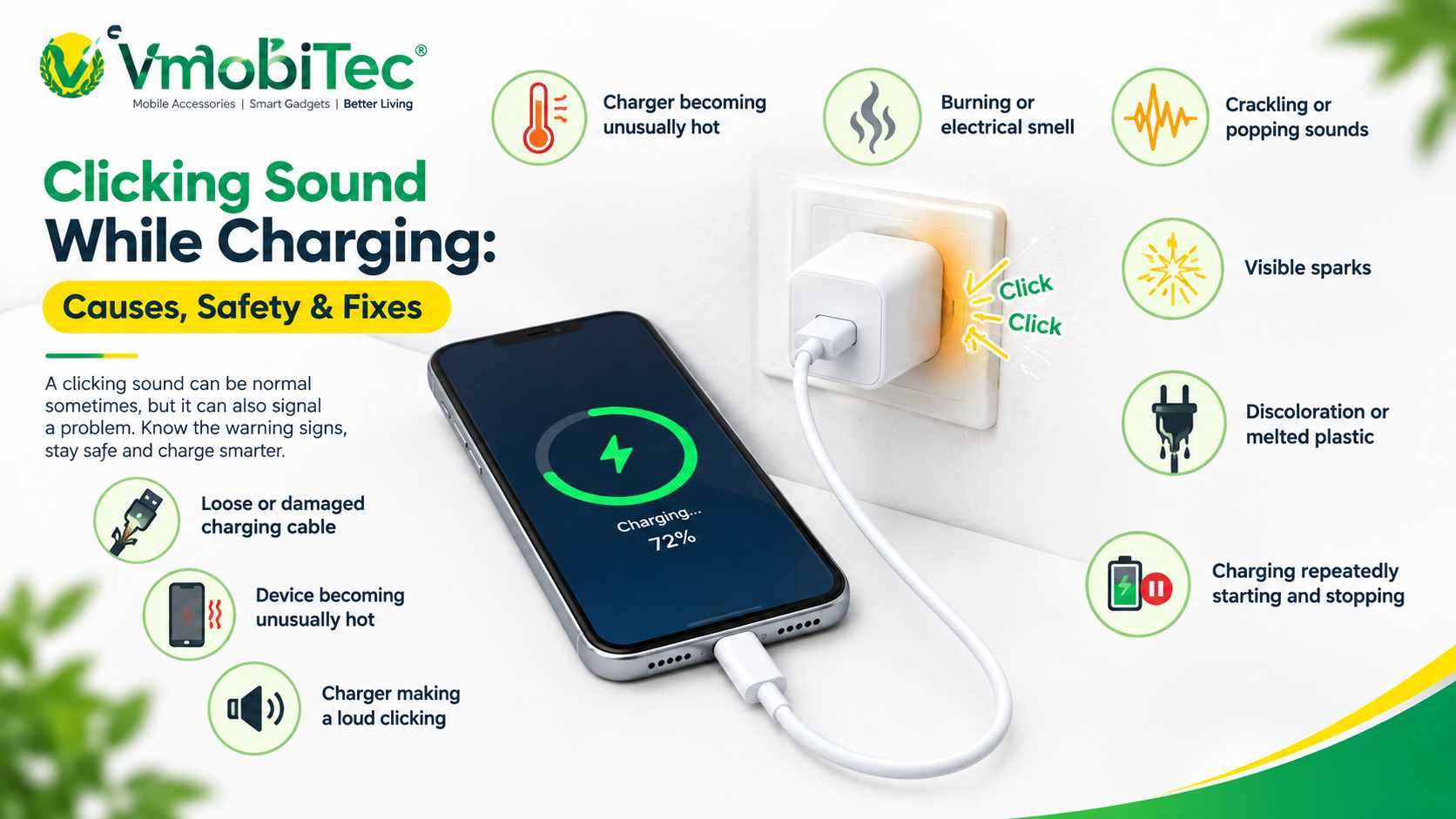
A clicking sound from a charger isn’t automatically dangerous, but repeated clicking combined with heat, crackling, sparks, burning smell, visible damage, or charging interruptions is a warning sign. In those circumstances, unplug the charger and stop using it.
The sound itself isn’t enough to determine whether an adapter is safe. Professionals assess the complete pattern: physical condition, temperature, charging stability, electrical behavior, and whether the problem occurs across different compatible devices.
Stop using the charger if you notice Clicking sound while charging :
- Loud or increasingly frequent clicking
- Crackling or popping
- Sparks
- Burning or unusual smell
- Excessive heat
- Melted or discolored plastic
- Cracked charger casing
- Exposed wires
- Repeated charging interruptions
- A loose or damaged wall plug
If the clicking sound from the phone charger appears to come from the wall socket rather than the adapter, stop using that outlet and have the electrical connection checked by a qualified electrician.
Clicking Noise While Charging Phone: Charger or Phone?
The easiest way to identify the source of clicking noise while charging a phone is to test the charger, cable, outlet, and device separately using compatible equipment. Changing one component at a time makes the troubleshooting process more reliable.
| What you observe | More likely source | Recommended action |
|---|---|---|
| Noise clearly comes from adapter | Charger | Test another compatible charger |
| Noise comes from phone | Phone or charging port | Inspect port and seek service if persistent |
| Noise disappears with another cable | Cable | Replace the cable |
| Noise disappears at another outlet | Outlet/electrical connection | Avoid the original outlet |
| Clicking occurs with several devices | Charger | Stop using if noise is abnormal |
| Clicking occurs only with one phone | Phone/cable compatibility | Test another cable or adapter |
| Clicking plus excessive heat | Possible charger fault | Unplug and replace |
| Clicking plus burning smell | Electrical fault risk | Stop using immediately |
This process helps avoid replacing a phone unnecessarily when the actual issue is a charger or cable.
What Causes a Charger Making Clicking Noise?
A charger making clicking noise can have several possible causes, ranging from normal switching behavior to a damaged component or poor electrical connection.
Coil vibration
Inductors and transformers inside switching power supplies can vibrate during operation. This is commonly associated with electronic noise such as buzzing or high-pitched whine.
The sound may become more noticeable under particular loads.
Electrical instability
An unstable wall connection, loose plug, damaged extension board, or problematic socket can create unusual electrical sounds.
If the sound follows the outlet rather than the charger, the electrical installation should be investigated rather than repeatedly testing the charger.
Damaged cable
A cable with internal conductor damage may create an unstable connection. Repeated bending near the connector is a common source of physical cable wear.
Test with a known-good, compatible cable before concluding that the adapter itself has failed.
Charger ageing or damage
Repeated drops, heat exposure, moisture, physical stress, or general ageing can affect an adapter’s components and casing.
A charger that has become noticeably noisier than when it was new should be treated differently from one that has always produced a very faint sound.
Poor-quality or unsuitable accessories
Charging accessories with unclear specifications or poor construction may not provide the same level of reliability as properly designed products.
When purchasing a replacement, check output specifications, charging standards, connector type, manufacturer information, and device compatibility.
How to Fix Clicking Sound While Charging
The safest way to fix clicking sound while charging is to identify whether the charger, cable, outlet, or phone is responsible and replace any defective component. Never open or modify a mains-powered charger.
Follow these steps:
1. Unplug the charger
Disconnect the adapter from the wall before inspecting it. Allow it to cool if it feels unusually warm.
2. Inspect the charger
Check the casing, plug, USB port, and cable connection.
Look for cracks, melted areas, discoloration, loose parts, or other physical damage.
3. Try another suitable outlet
Use another properly functioning wall outlet. Avoid loose sockets, damaged extension boards, or outlets showing sparks or heat.
4. Test a known-good cable
Replace the cable temporarily with a compatible cable in good condition.
If the clicking disappears, the original cable may have contributed to the problem.
5. Test another compatible device
Connect the charger to another suitable device.
If the same unusual clicking occurs, the charger becomes a stronger suspect.
6. Check the charger temperature
Warmth can occur during charging, especially with higher-power adapters. Excessive or rapidly increasing heat is not something to ignore.
Keep the adapter uncovered and allow normal airflow around it.
7. Check charging stability
Watch the phone while charging.
If charging repeatedly starts and stops, the combination of clicking and unstable charging should be treated as a potential fault.
8. Replace the charger when necessary
If the clicking is loud, worsening, or accompanied by heat, smell, sparks, damage, or charging interruptions, replacement is the appropriate next step.
Can Fast Charging Cause Clicking Sounds?
Fast charging can change the electrical load and operating conditions of a charger, which can sometimes make existing electronic noise more noticeable. That does not mean a fast charger should produce loud or irregular clicking.
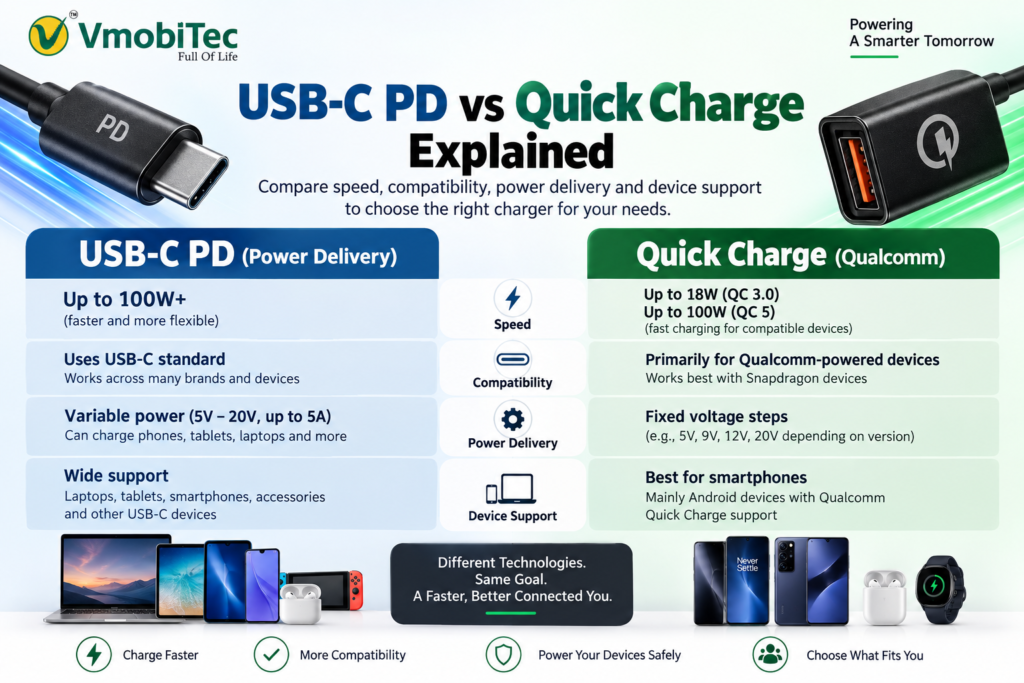
Technologies such as USB Power Delivery allow compatible devices and chargers to negotiate power according to supported charging capabilities.
A suitable fast charger should be selected based on the device’s supported charging protocol and required output rather than simply choosing the highest wattage available.
How Charging Cables Can Affect Clicking
A charging cable is an active part of the charging connection. Cable condition, connector quality, supported current, and compatibility can all affect charging stability.
A damaged cable may cause intermittent connections that repeatedly change the charger’s load. Testing with a reliable compatible cable is therefore an important diagnostic step.
For USB-C charging, consumers should also remember that USB-C describes a connector and interface, not one identical performance level for every cable. Different cables can support different capabilities.
For USB-C charging, consumers should also remember that USB-C describes a connector and interface, not one identical performance level for every cable. The USB Type-C specifications define requirements for compatible connectors and cable assemblies.
When Should You Replace a Clicking Charger?
Replace a clicking charger when the noise is accompanied by excessive heat, burning smell, crackling, sparks, physical damage, or repeated charging failures. Replacement is also sensible when a previously quiet charger develops a new and increasingly noticeable electrical noise.
Avoid repairing a sealed wall adapter yourself. A qualified professional or replacement product is a safer route than opening the adapter.
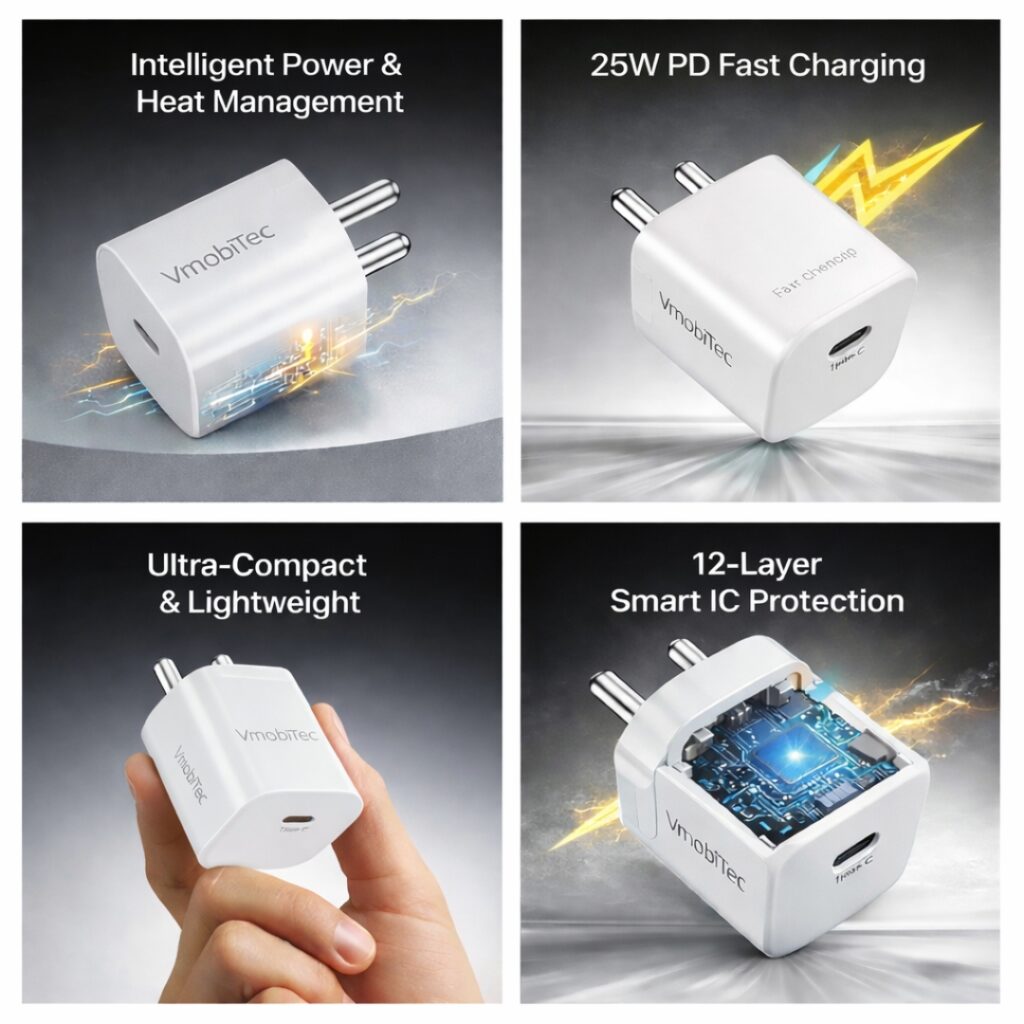
VMobiTec offers charging accessories including mobile chargers and charging cables for consumers in India. When choosing a replacement, match the charger’s specifications with your device and use a suitable cable for the intended charging standard.
Choosing VMobiTec Charging Accessories
VMobiTec charging accessories are intended for consumers looking for mobile and electronic charging products in India, including chargers and charging cables. The appropriate product should be selected according to device compatibility, connector type, charging protocol, and required power output.
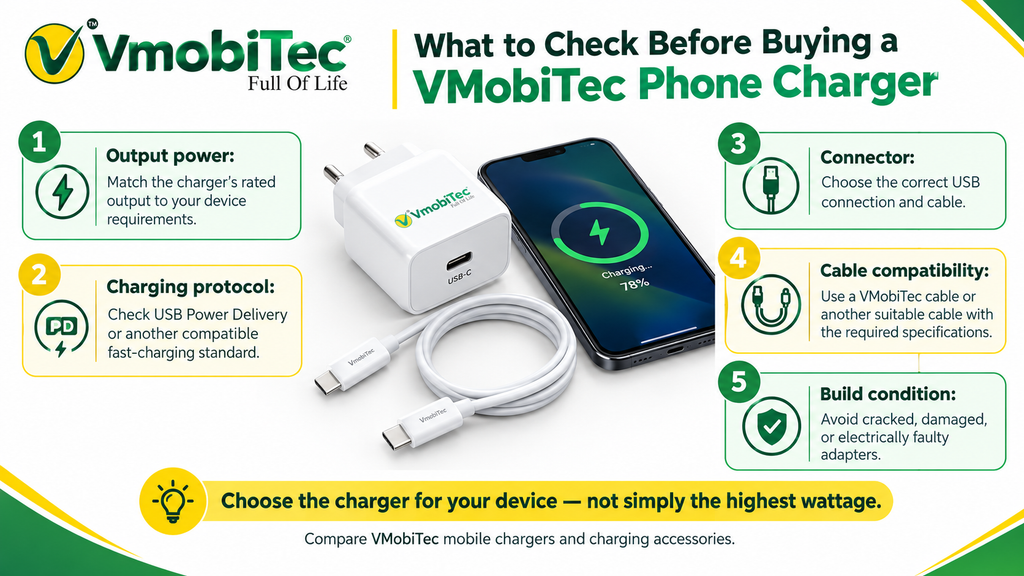
What to check before buying a VMobiTec phone charger
- Output power: Confirm that the charger’s rated output matches your device requirements.
- Charging protocol: Check whether your phone supports technologies such as USB Power Delivery or another compatible fast-charging standard.
- Connector: Select the appropriate USB connection and cable.
- Cable compatibility: Use a VMobiTec charging cable or another suitable cable with the required specifications.
- Build condition: Don’t use an adapter that is cracked, damaged, or showing signs of electrical failure.
For users comparing VMobiTec mobile chargers, the right choice depends on the device rather than simply the highest wattage. The same principle applies when selecting other VMobiTec charging accessories.
Benefits of Using Proper Charging Accessories
- Stable charging: Compatible accessories help maintain a reliable connection between the power source and device.
- Appropriate power delivery: The correct charger provides output within the device’s supported requirements.
- Better compatibility: Matching charger, cable, connector, and charging protocol reduces avoidable connection problems.
- Everyday reliability: Quality charging accessories are designed for repeated use when handled and stored properly.
- Fast-charging support: Compatible chargers can support the charging technologies available on supported devices.
- Practical replacement options: Products such as a VMobiTec phone charger or VMobiTec charging cable can be considered when replacing worn charging accessories.
Frequently Asked Questions About Clicking Sound While Charging
Q: Why does my charger make a clicking sound?
A: A charger may make a clicking sound because of switching circuitry, changing electrical loads, coil vibration, component wear, or an unstable electrical connection. A faint occasional sound isn’t automatically dangerous, but loud repeated clicking, heat, crackling, sparks, burning smell, or charging interruptions indicate that the charger should be unplugged and inspected or replaced.
Q: Is clicking sound from charger dangerous?
A: If excessive heat is also present, see our guide on charger overheating fix for additional troubleshooting steps.
Q: Why does my phone make clicking sound while charging?
A: If your phone makes clicking sound while charging, first determine whether the noise actually comes from the phone or the charger. A charging port, internal circuitry, cable connection, or power adapter may be responsible. Test a compatible cable and charger separately, and seek professional inspection if the sound clearly originates from the phone.
Q: How do I fix clicking sound while charging?
A: To fix clicking sound while charging, unplug the adapter, inspect it for damage, try another suitable wall outlet, test a known-good compatible cable, and check charging with another compatible device. If clicking continues with heat, smell, sparks, or unstable charging, stop using the charger and replace it.
Q:In Can Fast Charging Cause Clicking Sounds?
Technologies such as USB Power Delivery allow compatible devices and chargers to negotiate power according to supported charging capabilities. If you’re comparing charging technologies, see our guide to USB-C PD vs Quick Charge for a clearer explanation of how the two standards differ.
Q: Is it normal for a fast charger to make a clicking noise?
A: Fast chargers can operate under changing electrical loads, which may make faint electronic noise noticeable in some adapters. However, loud or repeated clicking shouldn’t automatically be considered normal. Check for excessive heat, smell, sparks, physical damage, and charging interruptions. If these symptoms appear, stop using the charger.
Q: Should I replace a charger that makes a clicking sound?
A: Replace a charger when clicking is loud, worsening, or accompanied by excessive heat, burning smell, crackling, sparks, physical damage, or unstable charging. A faint and consistent electronic sound without other warning signs doesn’t automatically prove failure, but a new unexplained noise should be monitored carefully.
Q: Can a VMobiTec charger be used for fast charging?
A: A VMobiTec charger should be selected according to the supported specifications of the specific product and your device. Check the charger’s rated output, connector, and supported charging technology before purchase. Use a compatible charging cable as well, because cable capability can affect the charging experience.
Final Takeaway
Clicking sound while charging can have several causes, including normal switching behavior, changing electrical load, cable problems, outlet issues, or charger faults. A faint and stable sound isn’t automatically a safety problem, but loud clicking combined with heat, smell, sparks, crackling, damage, or charging interruptions calls for immediate caution.
Use compatible charging accessories and replace damaged or questionable adapters rather than attempting internal repairs. VMobiTec provides mobile chargers and charging accessories for consumers in India who need practical charging solutions.