Blog

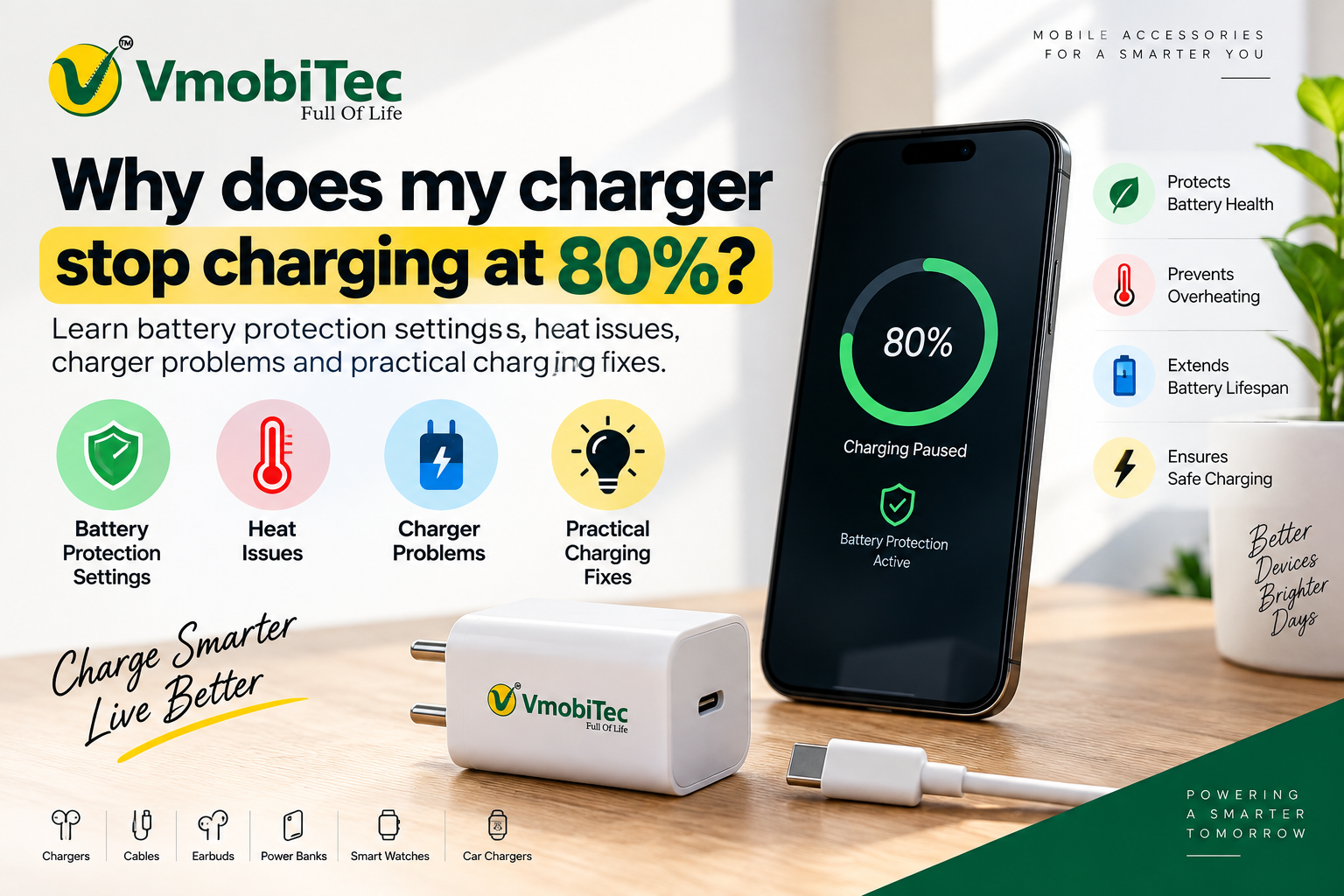
Why Does My Charger Stop Charging at 80 Percent? Causes and Fixes
A phone that stops charging at 80% can make you think your charger, cable, or battery has developed a fault. But why does my charger stop charging at 80 percent when everything appears to be working normally? In many cases, the charger isn’t the problem at all. Your smartphone may be intentionally limiting charging to protect the battery.
Modern phones from Apple, Google Pixel, and Samsung use charging-management features that can restrict or slow charging around 80–85%. Heat, damaged cables, incompatible adapters, charging-port debris, software settings, and battery ageing can also affect charging. Understanding the cause helps you decide whether you need to change a setting, replace an accessory, or have the phone inspected.
Why Does My Charger Stop Charging at 80 Percent?
A phone that stops charging at exactly 80% is often using a battery-protection or charging-optimization feature rather than experiencing a charger failure. These features are designed to reduce the time the battery spends at a high charge level.
Lithium-ion batteries can experience additional stress when they remain at very high charge levels for extended periods. Smartphone manufacturers therefore use software controls to manage the final stage of charging.
Apple provides charging controls on supported iPhone models, Google Pixel devices offer charging optimization options, and Samsung Galaxy phones include Battery Protection features. The names and available settings vary according to the device and software version.
If the phone consistently stops at exactly 80%, checking the battery settings should be your first step.
Why charging slows near 80%
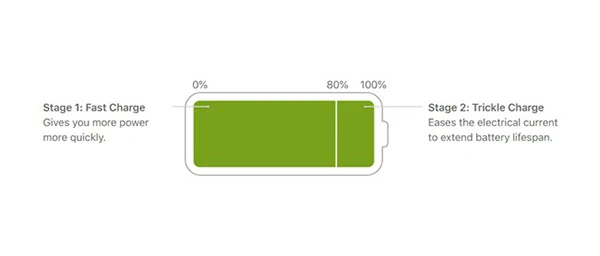
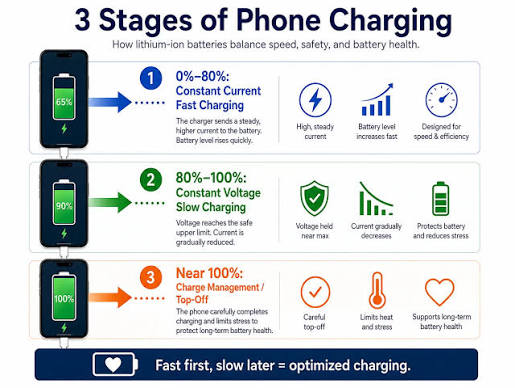
Phone charging doesn’t happen at the same speed from 0% to 100%. Charging systems generally reduce power as the battery approaches a high state of charge.
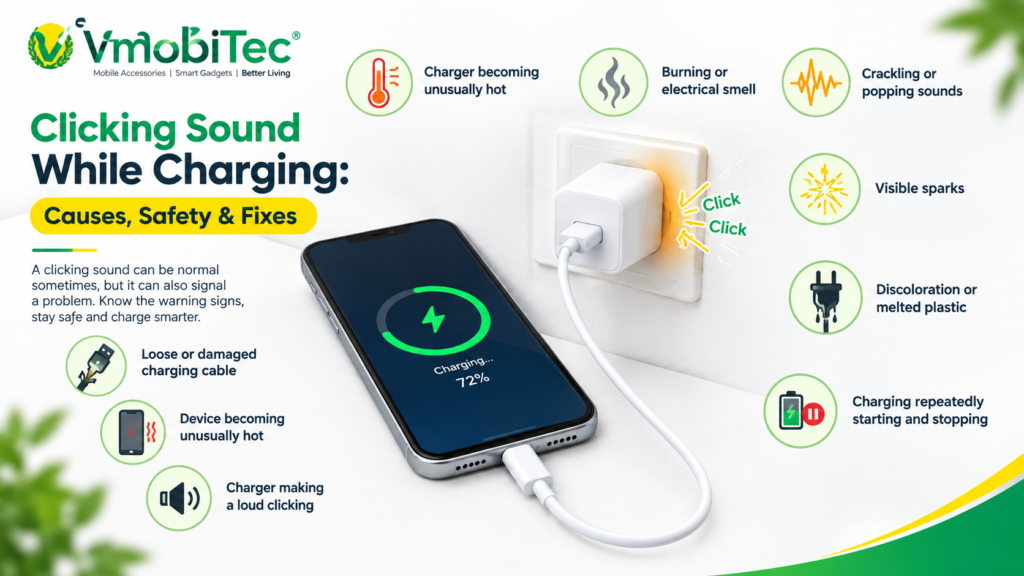
This helps manage battery temperature and charging stress. Therefore, a phone that takes much longer to move from 80% to 100% isn’t necessarily malfunctioning. If you notice excessive heat while charging, understanding the right charger overheating fix can help improve charging safety and performance.
Why Does My Charger Stop Charging at 80 Percent on iPhone?
An iPhone may stop charging at 80% because of Charge Limit, Optimized Battery Charging, or temperature management. The exact behaviour depends on the iPhone model, iOS version, and selected charging settings.
Supported iPhone models can use a Charge Limit that prevents the battery from charging beyond a selected percentage. If the limit is set to 80%, the phone will intentionally stop charging at that point.
Optimized Battery Charging works differently. Instead of always charging directly to 100%, the iPhone can delay charging beyond 80% under certain circumstances.
What iPhone users should check
Go to the iPhone’s battery charging settings and look for:
- Charge Limit
- Optimized Battery Charging
- Battery Health
- Charging-related notifications
If an 80% limit has been selected, change the setting when you need additional battery capacity.
Temperature is another factor. Apple devices can temporarily limit charging when the phone becomes too warm. Moving the phone to a cooler environment can allow charging to resume normally.
Why Does My Charger Stop Charging at 80 Percent on Android?
Android phones can stop charging around 80% when battery-protection or charging-optimization features are enabled. The available options depend on the smartphone manufacturer, model, and Android software version.
Google Pixel devices can use charging optimization to limit charging to 80%. Samsung Galaxy devices also provide Battery Protection modes that manage charging according to the selected option.
Other Android manufacturers may use names such as:
- Battery Protection
- Protect Battery
- Charge Limit
- Adaptive Charging
- Optimized Charging
- Charging Optimization
The setting is usually found under Settings → Battery, although the exact menu can differ between brands.
If your Android phone stops at exactly 80% every time, investigate these settings before replacing your charger.
What Causes a Phone to Stop Charging at 80 Percent?
The main causes include battery-protection settings, excessive heat, cable problems, charger compatibility, dirty charging ports, software behaviour, and battery ageing. The pattern of the charging problem can help identify the likely cause.
1. Battery protection is enabled
An 80% charging limit is the simplest explanation when the phone stops at the same percentage consistently.
The feature is controlled by the smartphone, so replacing the charger won’t normally remove the limit. Check the battery settings before purchasing new charging equipment.
2. The phone is overheating
A smartphone can reduce or temporarily stop charging when its temperature becomes too high.
Gaming while charging, direct sunlight, hot vehicles, high ambient temperatures, and demanding applications can increase heat. Allow the device to cool before testing charging again.
3. The charging cable is damaged
A damaged or worn cable can result in intermittent charging, slow charging, or repeated connection and disconnection.
Look for damaged insulation, bent connectors, loose ends, or visible wear. Testing another compatible cable is a simple way to identify whether the cable is responsible.
4. The charger doesn’t support the required charging technology
A charger may charge your phone without providing its expected fast-charging performance.
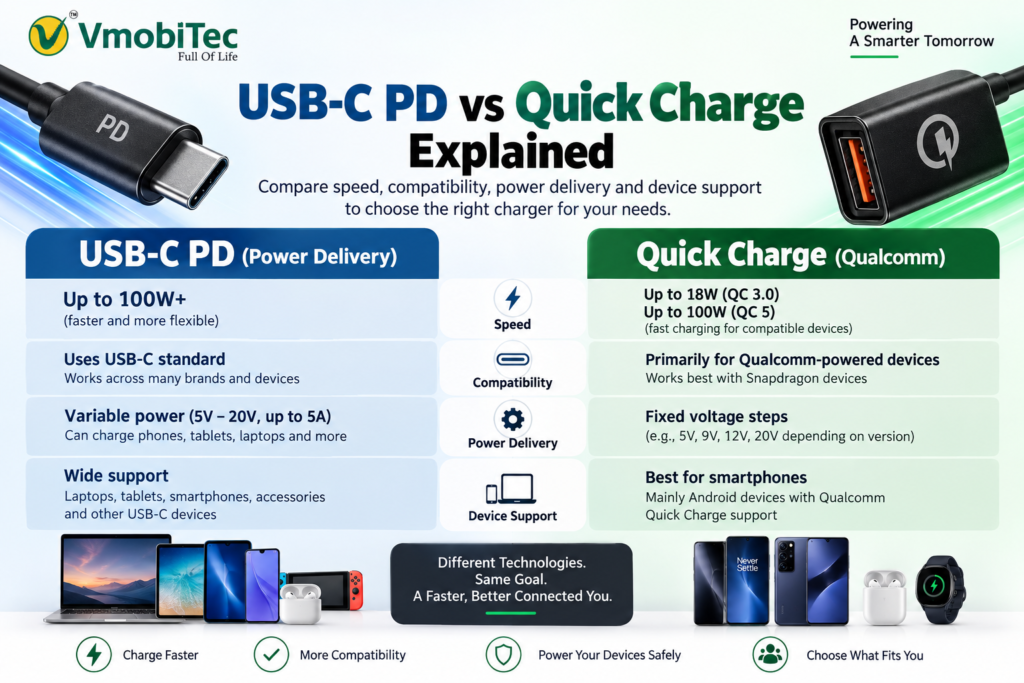
USB Power Delivery, Qualcomm Quick Charge, and proprietary charging technologies use different power-management methods. If the charger doesn’t support the required standard, the phone may fall back to a slower charging mode.
5. The charging port is dirty
Dust and lint can prevent the charging connector from making a reliable connection.
If the cable feels loose or charging repeatedly disconnects, inspect the port carefully. Avoid inserting sharp or metallic objects because they can damage the contacts.
6. The battery has aged
Rechargeable batteries naturally lose capacity over time.
An ageing battery may show additional symptoms such as faster discharge, unexpected shutdowns, increased heat, or unusual charging behaviour. When several symptoms appear together, battery inspection may be more appropriate than replacing the charger.
7. Software is controlling charging
Charging behaviour is partly managed by software.
A phone can adjust charging according to temperature, battery condition, usage patterns, and protection settings. A restart or software update can sometimes resolve unexpected charging behaviour.
Can a Charger Cause Charging to Stop at 80 Percent?
A charger can cause charging problems, but a phone stopping at exactly 80% is more commonly caused by the phone’s own charging-management system.
The charger supplies electrical power, while the phone controls how much power it accepts. Modern charging systems continuously manage voltage, current, temperature, and battery state.
For example, USB Power Delivery allows compatible devices and chargers to negotiate an appropriate power level. A higher-rated adapter doesn’t force the phone to accept its maximum wattage.
This is why replacing a charger should not be the first response when the phone consistently stops at 80%.
80% Charging Limit vs Charger Problem
A fixed 80% stopping point usually indicates a software-controlled charging limit, while unpredictable charging interruptions are more likely to indicate an accessory, temperature, port, or battery problem.
| Charging Behaviour | Likely Cause | Recommended Check |
|---|---|---|
| Stops exactly at 80% | Charge limit | Check battery settings |
| Stops around 85% | Battery protection | Check protection mode |
| Charges slowly after 80% | Normal charging behaviour | Check temperature |
| Stops at random percentages | Cable, charger or battery | Test accessories |
| Phone becomes very hot | Thermal protection | Allow device to cool |
| Charging repeatedly disconnects | Cable or port | Inspect and test cable |
| Fast charging doesn’t activate | Compatibility | Check charger standard |
| Battery drains quickly | Battery condition | Check battery health |
The percentage alone isn’t enough to diagnose a fault. Charging patterns and other symptoms provide more useful clues.
How to Fix a Phone That Stops Charging at 80 Percent
Start with the phone’s battery settings and then check temperature, cable, charger, charging port, and battery condition. This sequence helps separate normal charging management from a hardware problem.
Step 1: Check battery protection settings
Open your phone’s battery settings and look for an 80% charge limit or battery-protection option.
If the limit is enabled and you need more battery capacity, adjust the setting if your device allows it.
Step 2: Let the phone cool down
Disconnect the charger if the phone feels unusually warm.
Keep the device away from direct sunlight and avoid demanding games or applications while testing charging.
Step 3: Test another charging cable
Use a known-good cable that matches the phone’s connector and charging requirements.
For USB-C phones, make sure the cable is suitable for the charging power and standard supported by the device.
Step 4: Test another compatible charger
Try a reliable charger that supports your phone’s charging technology.
For compatible USB-C devices, USB Power Delivery can provide standardized charging negotiation. However, the phone still determines how much power it accepts.
Step 5: Inspect the charging port
Look for visible dust, lint, or physical damage.
If the connector feels loose or charging changes when the cable moves, the port may require professional inspection.
Step 6: Restart the phone
A temporary software issue can sometimes affect charging behaviour.
Restart the device and test charging again after it has returned to a normal temperature.
Step 7: Check for software updates
Manufacturers can improve charging management through software updates.
Install available updates when appropriate and check whether the charging behaviour changes afterward.
Step 8: Consider Battery Inspection
If your phone continues to stop charging unexpectedly, especially if you notice overheating or rapid battery drain, the issue may be related to the battery or charging system. Understanding the difference between USB-C PD vs Quick Charge can also help you choose a compatible charger. If the problem persists, consider having the battery and charging system inspected by a qualified technician.
Should You Turn Off the 80 Percent Charging Limit?
You can disable an 80% charging limit when you need maximum battery capacity, but keeping the limit enabled can be useful for people whose daily usage doesn’t require a full charge.
An 80% limit may suit someone who regularly charges at a desk or near a power source. A full charge may be more practical before long journeys, extended workdays, travel, or situations where access to a charger is limited.
Battery protection settings are therefore a usage choice rather than evidence that your charger is defective.
Why Charging Accessories Matter for Battery Performance
A compatible charger and quality cable provide stable charging, but they cannot override a smartphone’s built-in battery-protection system.
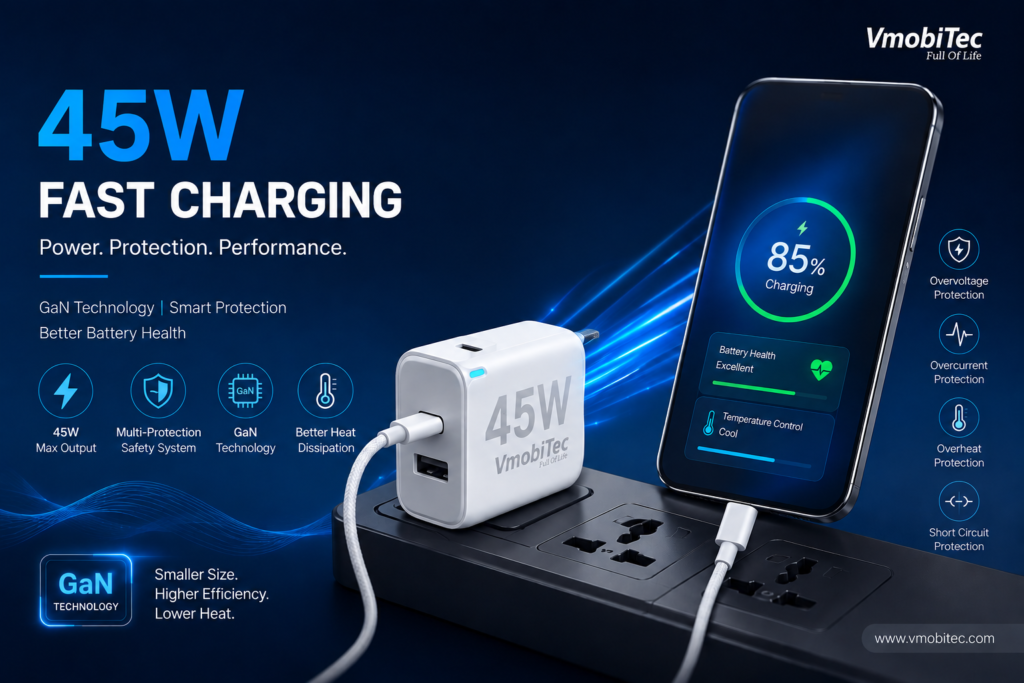
VMobitec focuses on mobile and electronic accessories, including chargers and charging cables for everyday smartphone use. When selecting a charging accessory, customers should consider the connector, output rating, supported charging standard, cable compatibility, and device requirements rather than choosing based only on wattage.
What to check before buying a charger
- Charging standard: Check whether your phone supports USB Power Delivery, Quick Charge, or another charging technology.
- Power output: Select a suitable wattage for the device.
- Cable support: Make sure the cable can handle the charging mode and power level required.
- Connector type: Confirm USB-C, Lightning, Micro USB, or another required connector.
- Build quality: Look for reliable connectors and suitable construction.
- Device compatibility: Confirm that the accessory is designed for your smartphone or other electronic device.
A 65W or 100W charger doesn’t automatically charge every phone at 65W or 100W. The device determines the power it can accept.
How VMobitec Can Help With Charging Accessories
VMobitec provides online access to mobile charging accessories for customers in India, including chargers and charging cables. The right accessory can help when the actual problem is an incompatible, damaged, or unsuitable charger or cable.
However, customers shouldn’t replace a charger simply because a phone stops at 80%. Battery-protection settings should be checked first.
When an accessory genuinely needs replacement, compare its output, connector, supported charging technology, and compatibility with your device before purchasing.
This approach helps avoid buying a higher-wattage charger when the phone’s software is intentionally limiting charging.
When Should You Replace Your Charger?
Replace a charger when there is evidence of physical damage, unstable charging, excessive heat from the adapter, repeated disconnections, or incompatibility with your device.
A charger that works normally but is connected to a phone with an 80% battery limit does not need to be replaced merely because charging stops at that percentage.
VMobitec customers can compare available charging accessories based on specifications and device requirements rather than relying on wattage alone.
If both a known-good charger and cable produce the same 80% stopping point, the phone’s settings or battery-management system should be investigated.
80% Charging Is Not Always a Problem
A smartphone stopping at 80% isn’t automatically a sign of a faulty charger or damaged battery. Battery-protection and charging-optimization features are now common on modern smartphones.
A precise 80% limit should prompt you to check the phone’s settings first. Random charging interruptions, excessive heat, loose connections, or rapid battery drain point toward different potential causes.
The best troubleshooting approach is simple: check the software setting, control temperature, test the cable and charger, inspect the port, and consider battery condition if the issue continues.
Benefits of Using Proper Charging Accessories
- Stable charging: A compatible charger and cable can provide a more reliable charging connection.
- Correct power delivery: Supported standards allow compatible devices to negotiate an appropriate power level.
- Better compatibility: Matching the charger to the phone reduces charging-mode problems.
- Reliable everyday use: Quality cables and connectors can reduce intermittent charging.
- Fast-charging support: Compatible accessories can allow devices to use their supported charging capabilities.
- Better purchasing decisions: Checking specifications helps avoid buying an unsuitable high-wattage charger.
Frequently Asked Questions About Why Does My Charger Stop Charging at 80 Percent
Q: Why does my charger stop charging at 80 percent?
A: Your phone may have an 80% charge limit or battery-protection feature enabled. Smartphones can intentionally stop or slow charging around this level to manage battery stress and temperature. Check Battery, Charging, Battery Health, or Battery Protection settings first. If no limit is enabled, investigate heat, cable quality, charger compatibility, and battery condition.
Q: Is it normal for a phone to stop charging at 80%?
A: Yes. It can be normal when a battery-protection feature is enabled. Apple, Google Pixel, and Samsung Galaxy devices provide charging-management features that can restrict or optimize charging around high battery levels. If the phone consistently stops at exactly 80%, checking its charging settings is more useful than immediately replacing the charger.
Q: How do I make my phone charge from 80% to 100%?
A: Check whether Charge Limit, Battery Protection, Charging Optimization, or a similar feature is enabled. If your phone allows the setting to be changed, select a higher limit or disable the restriction when needed. Also check temperature because thermal protection can temporarily reduce or stop charging when the device becomes too warm.
Q: Can a bad charger cause a phone to stop charging at 80%?
A: A faulty charger can cause charging interruptions, but stopping at exactly 80% is more commonly associated with the phone’s charging settings. Test another compatible charger and cable to isolate the problem. If charging still stops at exactly the same percentage, investigate battery protection, software behaviour, and battery condition.
Q: Does charging only to 80% improve battery life?
A: Charging limits are intended to reduce the amount of time a battery spends at very high charge levels, which can support long-term battery management. Apple, Google, and Samsung provide related charging-protection features. An 80% limit can be useful for regular daily use, while charging higher may be practical when longer runtime is needed.
Q: Why does my phone charge slowly after 80 percent?
A: Charging commonly becomes slower as the battery approaches a high state of charge. The phone reduces charging power to manage heat and battery stress during the final charging stage. If the battery percentage continues increasing, slower charging may be normal. A complete stop at a fixed percentage, however, can indicate a charge-limit setting.
Q: Should I replace my charger if my phone stops at 80%?
A: Not immediately. First check the phone’s battery-protection settings and temperature. Then test the cable and charger with known-good compatible accessories. Replace the charger when there is evidence of damage, unstable charging, excessive adapter heat, or incompatibility. A charger cannot override an 80% charging limit controlled by the phone.
Q: Does a higher-wattage charger make my phone charge past 80%?
A: No. A higher-wattage charger cannot override a smartphone’s charging limit or battery-protection settings. The phone controls how much power it accepts. A suitable charger can improve charging performance when the device supports its charging standard, but software settings and battery-management controls still determine whether charging continues beyond 80%.
Final Verdict: Why Does My Charger Stop Charging at 80 Percent?
Why does my charger stop charging at 80 percent? In most cases, the first thing to check is the phone’s battery-protection or charging-optimization setting. A fixed 80% stopping point is very different from random charging interruptions.
If no charging limit is enabled, check temperature, cable condition, charger compatibility, charging-port condition, software, and battery health. Replacing the charger should come after these basic checks rather than before them.
For customers looking for suitable charging accessories in India, VMobitec offers chargers and cables that can be evaluated according to device compatibility, charging standards, connector type, and power requirements