
Blog
Bluetooth Codecs SBC vs AAC: Which Bluetooth Codec Is Better?

Bluetooth Codecs SBC vs AAC: Sound Quality, Latency & Compatibility
The codec used by your wireless earbuds or headphones can affect how Bluetooth audio is compressed and transmitted. Bluetooth codecs SBC vs AAC is a common comparison for people choosing wireless earbuds, headphones and speakers.
SBC and AAC are both established Bluetooth audio codecs used with Bluetooth Classic audio through A2DP. The key difference isn’t simply that one codec is always “better”; the actual listening experience depends on the phone, operating system, headphones or earbuds, codec implementation, bitrate and the quality of the original audio. Bluetooth SIG defines A2DP for high-quality audio distribution and includes test materials for both SBC and AAC.
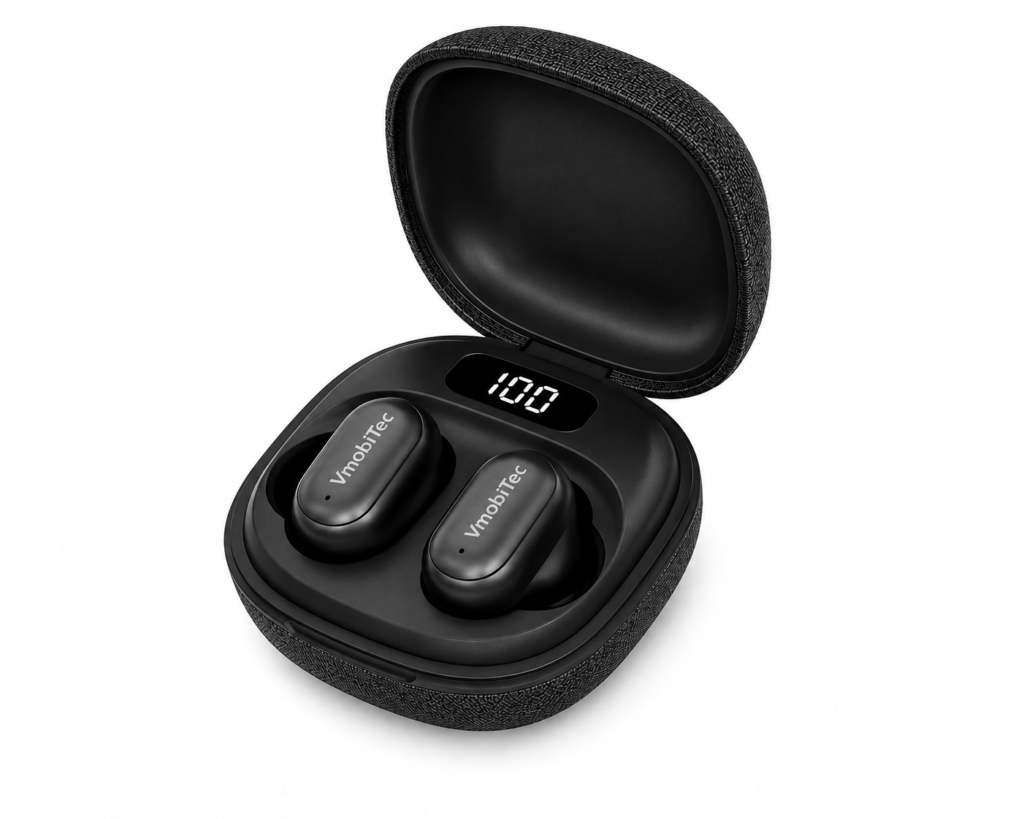
For shoppers comparing Vmobitec wireless earbuds or Bluetooth headphones, understanding codec compatibility is more useful than judging a product by the codec name alone.
Quick Summary: Bluetooth Codecs SBC vs AAC
SBC vs AAC Bluetooth codec comparison: SBC is the most widely compatible Bluetooth audio codec and serves as the baseline codec for Bluetooth Classic A2DP, while AAC can provide excellent audio quality on compatible devices. SBC is best for broad compatibility; AAC is a strong choice when both your smartphone and wireless earbuds or headphones support it well. This guide is useful for anyone comparing Bluetooth audio codecs, especially buyers choosing wireless earbuds, Bluetooth headphones or Vmobitec audio products.
What Are Bluetooth Audio Codecs?
Bluetooth audio codecs are technologies that encode and compress audio before transmission and decode it at the receiving device. They allow smartphones, computers and other Bluetooth sources to send audio wirelessly to compatible headphones, earbuds or speakers.
Bluetooth audio isn’t simply transferred as an uncompressed music file. The source device encodes the audio using a supported codec, sends it through the Bluetooth connection, and the receiving device decodes it for playback.
The source and receiving device need to support the same codec for that codec to be used. Android’s documentation describes codec negotiation between Bluetooth devices, where the connection selects a codec supported by both sides.
What Does SBC Mean?
SBC stands for Subband Codec. It is the mandatory codec associated with Bluetooth A2DP Classic Audio, which is why broad compatibility is one of its biggest strengths.
Android’s current Bluetooth codec documentation identifies SBC as a supported codec type and states that the mandatory codec type for Android Bluetooth audio is SBC.
SBC is therefore a dependable baseline when two Bluetooth audio devices need a commonly supported codec.
What Does AAC Mean?
AAC stands for Advanced Audio Coding. AAC is another Bluetooth audio codec supported by many phones, computers and wireless audio products.
Android includes AAC among its supported Bluetooth audio codec types, alongside codecs such as aptX, aptX HD and LDAC on compatible devices.
AAC is particularly relevant when comparing Bluetooth audio performance across different ecosystems because codec implementation can vary between operating systems and devices.
Bluetooth Codecs SBC vs AAC: What Is the Difference?
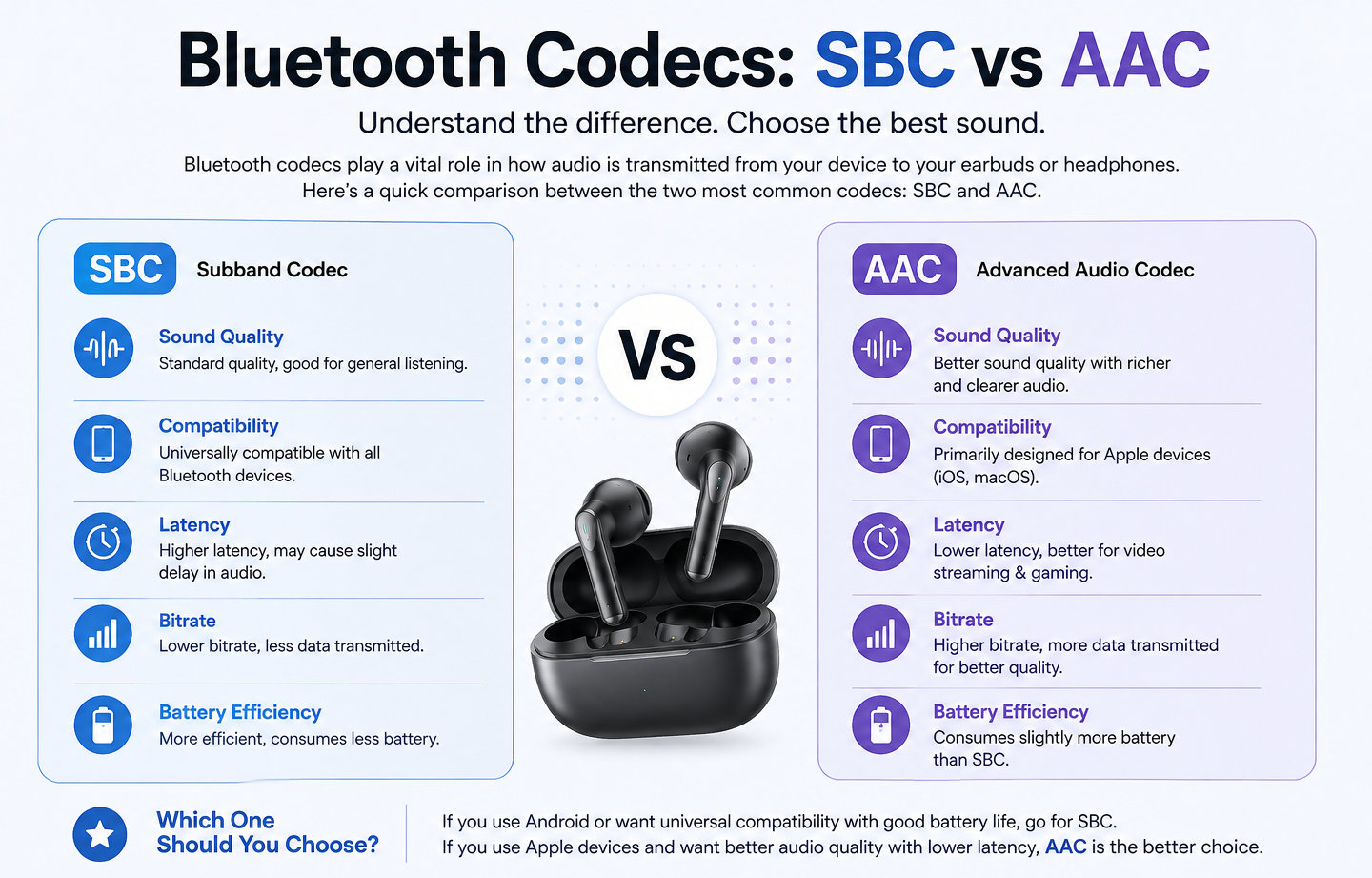
SBC vs AAC Bluetooth codec comparison comes down to compatibility, implementation, audio efficiency and the devices involved. Neither codec should be judged only by its name or theoretical specifications.
SBC has the advantage of being a baseline codec for A2DP, while AAC can provide strong audio performance when it is well implemented and supported by both the source and receiver.
The Bluetooth connection negotiates a codec based on what the source and sink support. A phone supporting AAC doesn’t automatically mean AAC will be used with every pair of earbuds. The earbuds or headphones must also support AAC.
SBC Codec vs AAC Codec: Quick Comparison
| Feature | SBC | AAC |
|---|---|---|
| Full name | Subband Codec | Advanced Audio Coding |
| Bluetooth Classic/A2DP | Yes | Yes |
| Broad compatibility | Excellent | Good, device dependent |
| Android support | Yes | Yes |
| iOS relevance | Supported ecosystem-dependent | Commonly used |
| Audio compression | Lossy | Lossy |
| Codec quality | Depends on implementation/settings | Depends on implementation/settings |
| Main strength | Compatibility | Efficient audio coding |
| Best for | General Bluetooth listening | Compatible devices and ecosystems |
The table is a practical comparison rather than a claim that AAC will always sound better. Bluetooth codec performance depends heavily on implementation, configuration and the complete source-to-headphone chain.
Is AAC Better Than SBC?
AAC can be better than SBC in some device combinations, but AAC is not universally superior. The source device, receiver implementation and codec configuration all influence the final result.
This distinction matters when shopping for Vmobitec Bluetooth headphones or Vmobitec wireless earbuds. A product supporting AAC may be useful, but the smartphone or computer must also support AAC for the connection to actually use it.
For example, Android’s Bluetooth stack supports codec negotiation and manufacturers can configure codec priorities. That means two Android devices can behave differently depending on their software and hardware configuration.
Experienced audio buyers therefore shouldn’t treat a codec label as a complete measure of sound quality.
SBC Bluetooth Codec: Advantages and Limitations
The SBC Bluetooth codec is the compatibility-focused choice because it is required for A2DP Classic Audio interoperability. Its widespread support makes it a dependable fallback when other codecs aren’t available.
Advantages of SBC
- Wide compatibility: SBC is supported across a large range of Bluetooth audio products.
- Reliable fallback: Devices can use SBC when they don’t share another compatible codec.
- Simple ecosystem support: Most Bluetooth Classic audio devices are designed around SBC compatibility.
- Established standard: SBC is part of the Bluetooth A2DP ecosystem.
- Useful for everyday listening: SBC can provide perfectly acceptable audio for general music, podcasts, video and calls.
Limitations of SBC
SBC isn’t designed to be the only measure of audio quality. Its performance depends on the encoder, settings, bitrate and implementation used by the source device.
A common mistake is assuming that an SBC connection automatically means poor sound. In practice, implementation quality matters, and modern wireless earbuds can sound quite good even when using SBC.
AAC Bluetooth Codec: Advantages and Limitations
The AAC Bluetooth codec can provide an effective balance of audio quality and compression on compatible devices. Its real-world performance depends strongly on how the source platform and receiving hardware implement AAC.
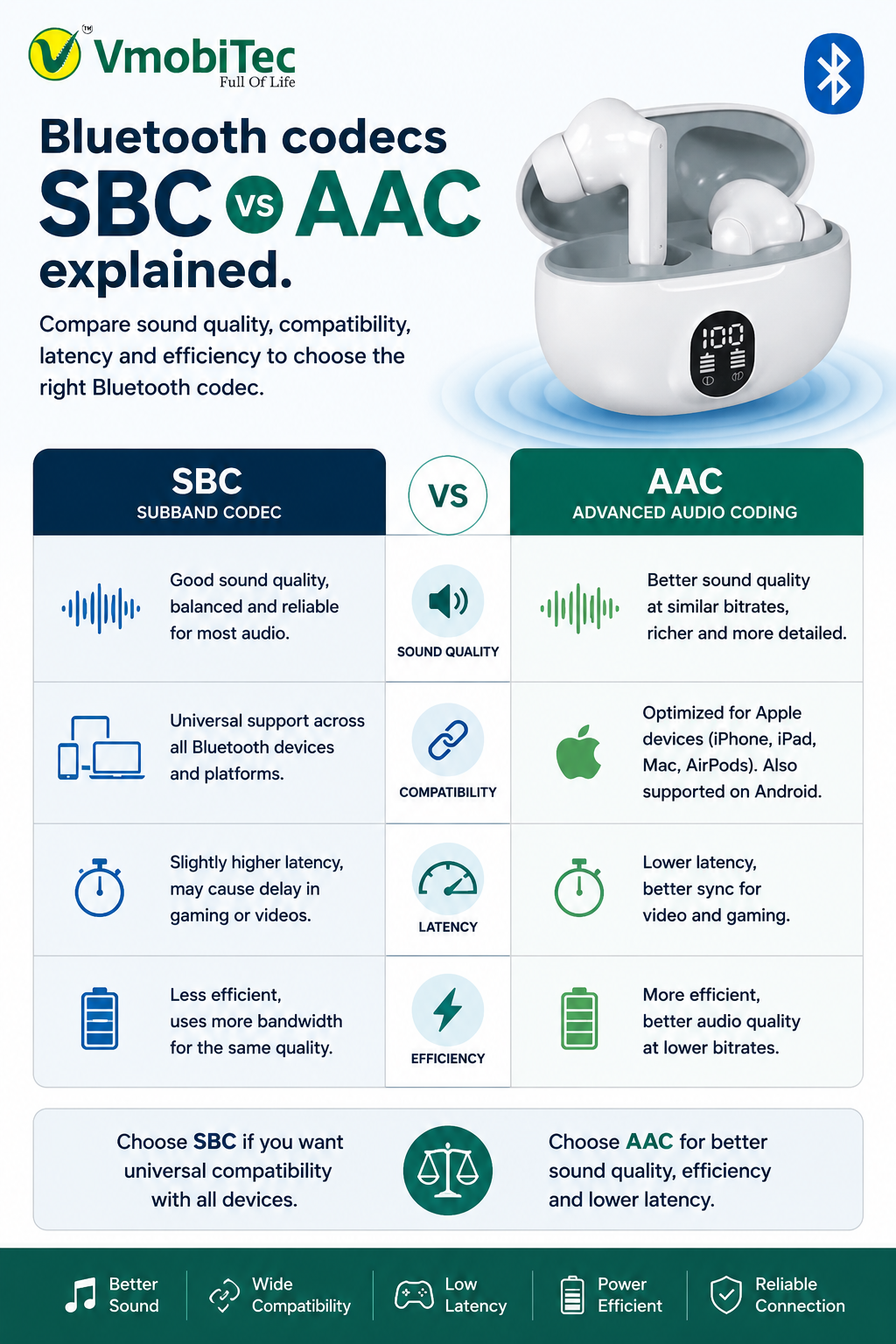
AAC is part of the Bluetooth A2DP ecosystem, and Android officially identifies AAC as a Bluetooth codec type.
Advantages of AAC
- Efficient audio compression: AAC is designed for efficient digital audio coding.
- Broad device support: Many modern smartphones and wireless audio products support AAC.
- Strong ecosystem relevance: AAC is particularly familiar to users of Apple devices and services.
- Good everyday listening: AAC can work well for music, podcasts and video when both devices support it properly.
- Established codec: AAC is not a new or experimental Bluetooth audio format.
Limitations of AAC
AAC support doesn’t guarantee better sound in every situation.
The encoding process on the source device matters. Two devices can support AAC but produce different results because their software and hardware implementations differ.
Bluetooth Codec Comparison: SBC vs AAC vs Other Codecs
SBC and AAC are only two options in the wider Bluetooth audio ecosystem. Modern Bluetooth devices can also support codecs such as aptX, LDAC and LC3 depending on the Bluetooth technology, operating system and hardware.
Android’s current Bluetooth API lists SBC, AAC, aptX, aptX HD, LDAC, Opus and other codec types depending on platform support.
| Codec | Typical Bluetooth Role | Main Consideration |
|---|---|---|
| SBC | Classic Audio baseline | Very broad compatibility |
| AAC | Classic Audio | Strong codec with platform-dependent implementation |
| aptX | Classic Audio | Requires compatible devices |
| aptX HD | Classic Audio | Higher-quality option on compatible hardware |
| LDAC | Classic Audio | Higher-bandwidth option on compatible devices |
| LC3 | Bluetooth LE Audio | Newer LE Audio codec |
LC3 deserves separate consideration because it belongs to Bluetooth LE Audio, rather than being simply another replacement for SBC in the same Classic Audio framework. Bluetooth SIG describes LC3 as the codec introduced for LE Audio, with different efficiency and feature goals.
How Bluetooth codecs SBC vs AAC Works
Bluetooth devices negotiate a codec based on the codecs supported by both the source and receiver. Your phone may support several codecs, but the connected earbuds or headphones determine which common codec can actually be used.
The process generally works like this:
- Phone or computer identifies the Bluetooth audio device.
- The devices exchange supported codec information.
- A mutually supported codec is selected.
- The source encodes the audio.
- The encoded audio is transmitted wirelessly.
- The headphones or earbuds decode the stream.
- The decoded signal is sent to the audio hardware.
Android documentation describes this as codec negotiation between the Bluetooth source and remote audio sink.
Why Your Phone May Not Use AAC
A phone may support AAC but still use SBC if the connected headphones or earbuds don’t support AAC.
The same principle applies in reverse. Buying AAC-compatible earbuds doesn’t guarantee AAC playback if the source device doesn’t support or select AAC.
That’s why checking both devices is essential.
How to Check Bluetooth Codec on Android
Android devices can expose Bluetooth codec settings through developer options, although the exact menu names and available settings vary by manufacturer and Android version.
A typical process is:
- Open Settings.
- Open About Phone.
- Enable Developer Options if required.
- Connect your Bluetooth headphones or earbuds.
- Open Developer Options.
- Find the Bluetooth Audio Codec setting.
- Check the currently selected codec.
Android documentation also provides Bluetooth codec APIs that identify supported codec types such as SBC and AAC.
Don’t manually select a codec simply because it appears higher on a list. The connected device must support it, and compatibility or stability may be more important than theoretical maximum performance.
Does Bluetooth Codec Affect Sound Quality?
Yes, the codec can affect Bluetooth audio quality, but it isn’t the only factor that matters. The headphones, earbuds, amplifier, drivers, source recording, mastering, software processing and connection conditions can all influence what you hear.
A high-end codec cannot compensate for poor headphone hardware.
Similarly, a well-designed pair of earbuds can produce satisfying sound with SBC when the complete audio system is well tuned.
For this reason, codec specifications should be evaluated alongside:
- Driver quality
- Tuning
- Frequency response
- DAC and amplifier implementation
- Bluetooth version
- Microphone quality
- Active noise cancellation
- Battery life
- Comfort and fit
- Software support
SBC vs AAC for Music, Video and Calls
The best codec choice can vary depending on the use case.
| Use Case | SBC | AAC |
|---|---|---|
| Music streaming | Good | Good on compatible devices |
| YouTube/video | Good | Good |
| Podcasts | More than adequate | More than adequate |
| Casual listening | Good | Good |
| Gaming | Depends on latency | Depends on device implementation |
| Calls | Depends on Bluetooth profile | Depends on Bluetooth profile |
| Maximum compatibility | Excellent | Device dependent |
Codec choice isn’t the only factor in Bluetooth latency. The application, Bluetooth profile, device processing and audio pipeline also contribute.
For calls, Bluetooth Classic communication profiles can change the audio path and affect quality. Sennheiser explains that Bluetooth devices negotiate supported codecs, while communication profiles such as HFP can take priority during calls.
What Should You Look for in Vmobitec Wireless Earbuds?
When choosing Vmobitec wireless earbuds, look beyond SBC vs AAC and evaluate the complete feature set. Codec support is useful, but it should be considered alongside sound tuning, battery life, microphone performance, comfort and connectivity.
Key Features to Check Bluetooth codecs SBC vs AAC
- Bluetooth codec support: Check whether the earbuds support SBC, AAC or additional codecs.
- Bluetooth version: Newer Bluetooth generations can bring improvements beyond codec selection.
- Driver configuration: Driver size and tuning influence the actual listening experience.
- Microphone quality: Important for calls and online meetings.
- Battery life: Consider both earbud and charging-case capacity.
- ENC or ANC: Check whether the product offers environmental noise cancellation or active noise cancellation.
- Comfort: Fit affects both long-term use and perceived sound.
- Device compatibility: Confirm compatibility with your smartphone, tablet or computer.
A strong product page should clearly state which codecs are actually supported rather than implying compatibility from the Bluetooth version alone.
Vmobitec Bluetooth Audio: What Matters Most?
Vmobitec Bluetooth audio products should be evaluated by the complete combination of codec support, acoustic hardware and everyday usability. SBC or AAC alone doesn’t determine whether earbuds or headphones will sound good.
For shoppers comparing Vmobitec Bluetooth headphones, look at the product’s codec compatibility alongside driver tuning, microphone performance, battery capacity, Bluetooth connectivity and intended use.
For example, someone primarily listening to podcasts may gain little from chasing advanced codec support. A music-focused listener using a compatible smartphone and earbuds may care more about codec implementation and audio tuning.
The best Bluetooth codec is therefore the one that works reliably across your actual devices and delivers the performance you need.
SBC vs AAC: Which Bluetooth codecs SBC vs AAC Should You Choose?
Choose SBC when broad compatibility and dependable Bluetooth Classic connectivity are your main priorities. Choose AAC when your source and headphones both support AAC and the implementation performs well on your devices.
There isn’t a universal winner.
For everyday listening, both codecs can be perfectly usable. The larger difference often comes from the quality of the headphones or earbuds, their tuning and how the source device handles the codec.
For Vmobitec wireless earbuds, check the product specification before buying and confirm whether your phone supports the same codec.
Key Benefits of Understanding Bluetooth Audio Codecs
- Better buying decisions: You can compare wireless earbuds and headphones using meaningful technical information.
- Improved compatibility: Checking both source and receiver prevents codec mismatch.
- Better expectations: Codec support doesn’t automatically determine overall sound quality.
- Smarter troubleshooting: Codec settings can help identify unexpected Bluetooth audio behavior.
- More informed upgrades: You can decide whether advanced codec support actually benefits your devices.
- Better product comparisons: SBC, AAC, aptX, LDAC and LC3 serve different technical purposes.
- Future-ready knowledge: Understanding Classic Audio versus LE Audio helps when evaluating newer Bluetooth products.
Frequently Asked Questions About Bluetooth Codecs SBC vs AAC
What is the difference between Bluetooth codecs SBC and AAC?
SBC and AAC are lossy Bluetooth audio codecs used to transmit audio wirelessly. SBC is the mandatory baseline codec for Bluetooth Classic A2DP, giving it broad compatibility across Bluetooth devices. AAC can provide excellent audio quality on compatible devices, but its actual performance depends on the source device, earbuds, and codec implementation.
Is AAC better than SBC for Bluetooth audio?
AAC is not always better than SBC. AAC can deliver better results on some device combinations, particularly within well-optimized ecosystems, but sound quality depends on the phone, earbuds, audio source, and codec implementation. A well-tuned SBC connection can sound better than poorly implemented AAC.
What is the SBC Bluetooth codec used for?
SBC is used for Bluetooth Classic audio streaming and provides broad device compatibility. It is the mandatory baseline codec for A2DP, so it serves as a reliable fallback when Bluetooth devices do not support a shared alternative codec.
What is the AAC Bluetooth codec?
AAC, or Advanced Audio Coding, is a lossy digital audio codec used by many smartphones, computers, headphones, and wireless earbuds. AAC can be used for Bluetooth audio when both the source device and receiving earbuds or headphones support it.
Do Bluetooth earbuds need to support both SBC and AAC?
Bluetooth earbuds do not have to support both SBC and AAC, but supporting both can provide better compatibility. SBC offers broad baseline compatibility, while AAC provides another option for compatible devices. Before buying earbuds, check the supported codecs on both your smartphone and the earbuds.
Which is the best Bluetooth codec for wireless earbuds?
There is no single best Bluetooth codec for every wireless earbud user. SBC is a dependable choice for broad compatibility, while AAC can be a good option when both devices support it effectively. Depending on your phone and earbuds, other codecs such as aptX, LDAC, or LC3 may also provide advantages.
Does SBC vs AAC affect Bluetooth latency?
SBC and AAC can affect the audio processing pipeline, but neither codec alone determines Bluetooth latency. Buffering, device processing, Bluetooth profiles, software, and the application also influence delay. For gaming, look for earbuds that specifically advertise a low-latency or gaming mode instead of choosing a codec based on latency alone.
How do I know which Bluetooth codec my headphones are using?
On many Android phones, you can check the active Bluetooth codec through Developer Options after connecting your earbuds or headphones. The exact settings vary by phone manufacturer and Android version. Available codecs can also depend on which formats are supported by both connected devices.
SBC vs AAC: Which Should You Choose?
Choose SBC when broad compatibility is your priority, and consider AAC when your phone and earbuds both support it well. However, codec support is only one factor in Bluetooth audio quality. Earbud drivers, tuning, connection quality, source audio, software, and device compatibility can have a significant impact on your overall listening experience.
Final Verdict: SBC vs AAC Bluetooth Codec
Bluetooth codecs SBC vs AAC isn’t a simple case of choosing the codec with the better-sounding name. SBC remains the broad-compatibility foundation for Bluetooth Classic A2DP, while AAC can perform very well on compatible devices.
For Vmobitec customers, the smarter approach is to check codec support alongside sound tuning, drivers, microphone quality, battery life, comfort and device compatibility. If you’re comparing Vmobitec Bluetooth headphones or Vmobitec wireless earbuds, choose the product that fits your complete listening setup rather than selecting a codec in isolation.




One thought on “Bluetooth Codecs SBC vs AAC: Which Bluetooth Codec Is Better?”