Blog
Dual Device Pairing Earbuds: Connect to Two Devices at Once

Dual Device Pairing Earbuds: How Multipoint Connectivity Works
Quick Summary: Dual Device Pairing Earbuds
Dual device pairing earbuds allow compatible wireless earbuds to maintain connections with two devices, such as a smartphone and laptop, depending on the product’s Bluetooth implementation. Earbuds with multipoint connectivity are particularly useful for people who move between calls, music and meetings across multiple devices. VmobiTec customers should check the product specifications to confirm whether a specific model supports true multipoint or another form of dual-device pairing.
What Are Dual Device Pairing Earbuds?
Dual device pairing earbuds are wireless earbuds designed to connect with two Bluetooth devices, allowing users to move between devices more conveniently. The exact behavior depends on whether the earbuds support true Bluetooth multipoint or simply remember multiple paired devices.
Traditional Bluetooth earbuds can often store pairing information for multiple devices, but that doesn’t necessarily mean they can maintain active connections to two devices simultaneously. This distinction is important when comparing wireless earbuds for work, travel and everyday use.
For example, a user may want earbuds connected to a laptop for a video meeting while also remaining connected to a smartphone for incoming calls. Earbuds with dual device connectivity can make this workflow easier when the product supports the required multipoint functionality.
Dual Pairing vs Multipoint: Are They the Same?
Dual pairing and Bluetooth multipoint aren’t always the same feature. Pairing means a device remembers another Bluetooth device, while multipoint generally refers to maintaining connections with multiple devices and managing audio or call switching between them.
Manufacturers sometimes use terms such as “dual connection,” “dual device,” “two-device connection” or “multipoint” differently. Always check the manufacturer’s specifications and user manual instead of relying only on the marketing term.
How Do Earbuds With Multipoint Connectivity Work?
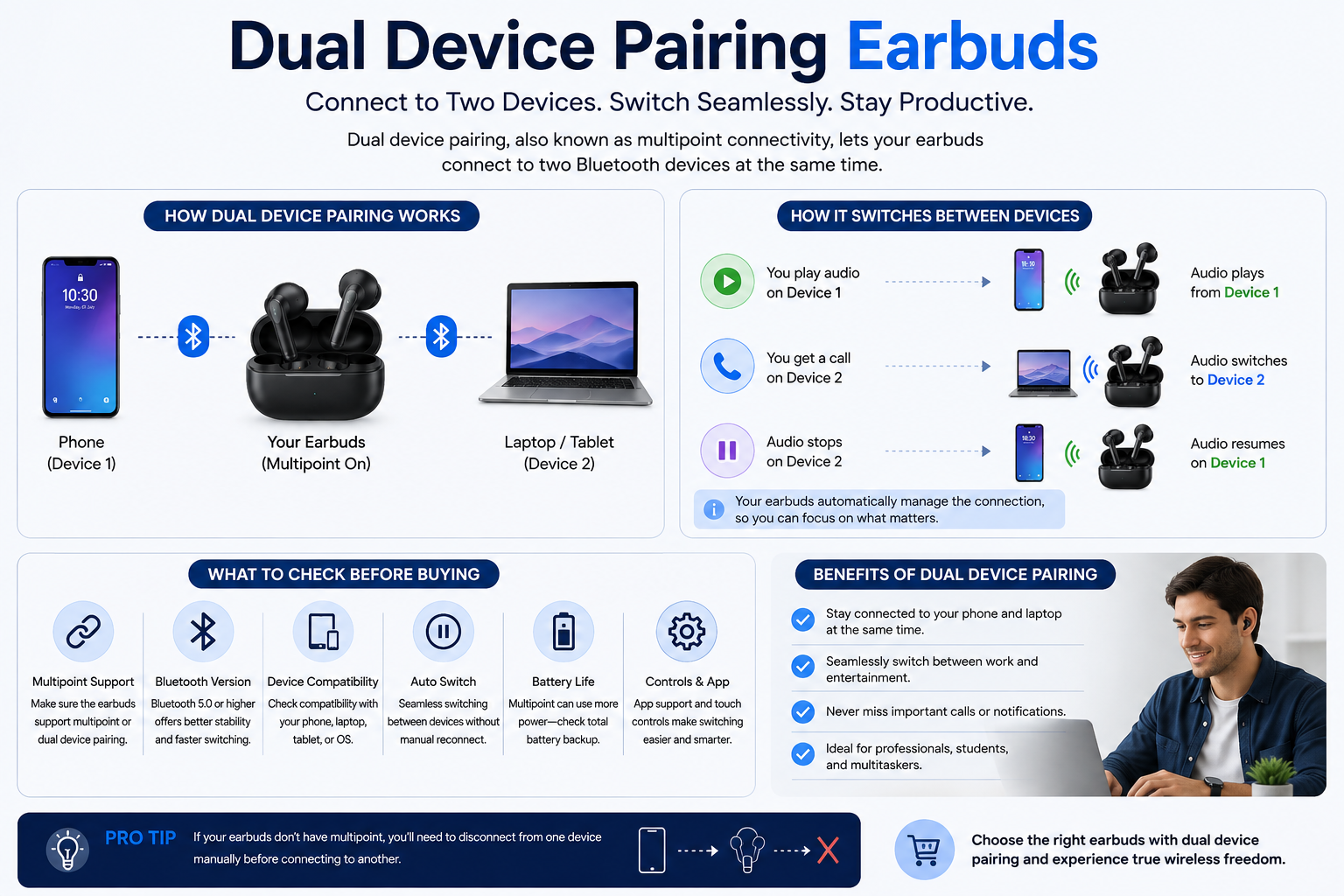
Earbuds with multipoint connectivity use Bluetooth connections to remain linked with multiple compatible source devices and manage audio between them. The earbuds coordinate the connection so that users can switch between activities without repeatedly opening Bluetooth settings.
A common setup is a smartphone plus a laptop. Music may be playing from the laptop, while an incoming call arrives on the smartphone. Depending on the earbuds and device combination, the earbuds can pause or interrupt the current audio and route the call through the earbuds.
After the call ends, the previous audio connection may resume. The exact behavior varies by earbuds, operating system, Bluetooth implementation and application.
Example: Phone + Laptop
Consider a person working from home.
The earbuds are connected to:
- A smartphone
- A Windows laptop
The user listens to music from the laptop. A phone call arrives, and the earbuds switch to the smartphone for the call. After the call, audio can return to the laptop depending on the product’s multipoint implementation.
This is one of the strongest real-world reasons to choose wireless earbuds with dual device connection.
Dual Device Pairing Earbuds vs Standard Bluetooth Earbuds
The main advantage of dual device pairing earbuds is convenience when using more than one Bluetooth source. Standard earbuds may require users to disconnect from one device before connecting to another, while multipoint-compatible models can manage multiple connections more efficiently.
| Feature | Standard Bluetooth Earbuds | Dual/Multi-Point Earbuds |
|---|---|---|
| Store paired devices | Usually yes | Yes |
| Two active connections | Usually no | Supported on compatible models |
| Phone + laptop workflow | Less convenient | More convenient |
| Automatic switching | Limited | Supported by some models |
| Work calls | Basic | Better suited |
| Device switching | Often manual | Can be automatic or semi-automatic |
| Multipoint support | Not necessarily | Yes when specifically supported |
The important distinction is stored pairing versus simultaneous connection. A product that remembers ten devices isn’t necessarily an earbuds-with-multipoint product.
Benefits of Earbuds With Dual Device Connectivity
Earbuds with dual device connectivity are most useful for people who regularly switch between two Bluetooth sources. The feature can reduce the friction of moving between personal and work devices.
1. Easier Work and Personal Switching
Users can keep a smartphone and laptop connected without repeatedly opening Bluetooth settings.
2. Convenient for Calls
A smartphone can remain connected while the earbuds are also connected to a computer for meetings.
3. Less Manual Reconnection
Multipoint can reduce the need to disconnect and reconnect the earbuds whenever you change devices.
4. Better Multitasking
People who listen to music on a laptop while keeping their smartphone nearby can benefit from easier device management.
5. Useful for Remote Work
Workers using video-conferencing applications on computers and mobile phones can find dual-device connectivity particularly practical.
6. Travel Convenience
Travellers can potentially keep earbuds connected to a phone and another compatible device without repeatedly pairing them.
Bluetooth Earbuds Dual Pairing: What You Should Know
Bluetooth earbuds dual pairing can describe several different connection behaviors, so buyers should verify the exact feature before purchasing. Some products support true multipoint, while others simply remember previously paired devices.
Bluetooth pairing creates a relationship between devices, but multipoint involves managing more than one active connection. The Bluetooth specification and individual product implementation determine how connections and profiles are handled.
The practical experience can also vary between Android phones, iPhones, Windows computers, Macs and other Bluetooth sources.
Does Multipoint Mean Both Devices Play Audio at Once?
Usually, no.
Multipoint doesn’t generally mean that two audio streams are mixed together and played simultaneously through the earbuds. Instead, the earbuds maintain connections with multiple devices and switch or prioritize audio depending on activity.
For example, a laptop might be playing music while the smartphone receives a call. The earbuds can switch the active audio path to the call, subject to the device and earbud implementation.
Earbuds With Simultaneous Device Connection: What Does It Mean?
Earbuds with simultaneous device connection generally means the earbuds can maintain active Bluetooth links with two devices at the same time. It does not necessarily mean both devices can stream audio simultaneously.
The term “simultaneous” should therefore be interpreted carefully. A product page should explain whether the earbuds support two active connections, automatic switching, manual switching or another proprietary system.
This is particularly relevant when comparing VmobiTec Bluetooth earbuds with products from other brands. The specification should state exactly what the dual-device feature does.
How to Set Up Dual Device Pairing Earbuds
Setting up dual device pairing earbuds usually involves pairing the earbuds with each device and then enabling multipoint or dual-device connectivity if required. The exact steps vary by manufacturer.
Step 1: Pair With the First Device
Open Bluetooth settings on the first smartphone, laptop or tablet and pair the earbuds.
Step 2: Put the Earbuds Into Pairing Mode
Follow the product’s instructions to make the earbuds discoverable again.
Step 3: Pair With the Second Device
Open Bluetooth settings on the second device and select the earbuds.
Step 4: Enable Multipoint if Required
Some earbuds require multipoint to be enabled through a companion app or Bluetooth settings.
Step 5: Test Both Connections
Play audio from one device and test a call or notification from the second device.
Step 6: Check Switching Behavior
Confirm whether the earbuds switch automatically, pause the first stream or require manual interaction.
The setup experience can differ significantly between products, so the included manual should be treated as the final reference.
What Devices Can Use Dual Bluetooth Earbuds?
Dual Bluetooth earbuds can generally be used with compatible smartphones, tablets, laptops and other Bluetooth audio sources. Compatibility depends on the Bluetooth profiles, operating system and multipoint implementation.
Common combinations include:
| First Device | Second Device | Common Use |
|---|---|---|
| Android phone | Laptop | Work + personal |
| iPhone | MacBook | Calls + music |
| Android phone | Tablet | Media + calls |
| Phone | Windows PC | Meetings + calls |
| Phone | Smart device | Everyday connectivity |
Not every combination will behave identically. Some manufacturers optimize multipoint behavior for particular operating systems or companion applications.
What to Check Before Buying Multipoint Bluetooth Earbuds
The best multipoint Bluetooth earbuds are not necessarily the ones with the longest feature list; they are the ones that provide reliable switching with your actual devices.
Before buying, check:
Bluetooth Version about dual device pairing earbuds
A newer Bluetooth version can provide improvements in efficiency, range and connection management, but Bluetooth version alone does not guarantee multipoint.
Multipoint Support
Look specifically for “multipoint,” “dual-device connectivity” or an equivalent feature in the official specifications.
Number of Devices
Confirm whether the earbuds support two active devices or simply remember multiple previously paired devices.
Automatic Switching
Check whether switching happens automatically or requires manual action.
Companion App
Some earbuds use a mobile application to enable or configure multipoint.
Call Handling
If you need phone + laptop connectivity, check how the earbuds handle incoming calls while computer audio is active.
Operating System Compatibility
Check compatibility with Android, iOS, Windows or macOS according to your actual setup.
VmobiTec Earbuds and Dual Device Pairing
VmobiTec earbuds should be evaluated according to the specifications of each individual model rather than assuming every VmobiTec product supports multipoint. Bluetooth features can vary between models, so product-level information is the reliable source.
For shoppers searching for VmobiTec dual device pairing earbuds, the product page should clearly identify whether the model supports true multipoint connectivity, dual-device connection or only multiple-device pairing memory.
A strong product listing should explain the feature in practical terms. For example:
“Connect the earbuds to your smartphone and laptop simultaneously and switch between supported audio activities.”
Only use such wording when the specific model has been tested or the manufacturer documentation confirms it.
VmobiTec Wireless Earbuds: Features to Compare
When comparing VmobiTec wireless earbuds, don’t make dual-device connectivity the only selection criterion.
Look at the full feature set:
- Bluetooth version
- Supported Bluetooth codecs
- Multipoint or dual-device support
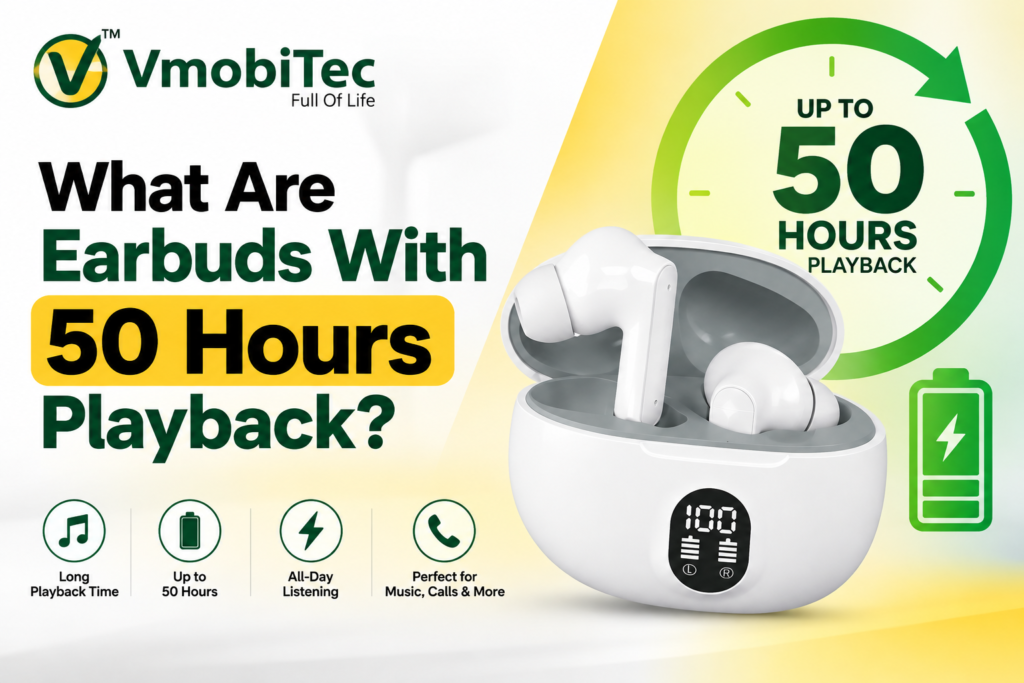
- Battery life
- Charging case capacity
- USB-C charging
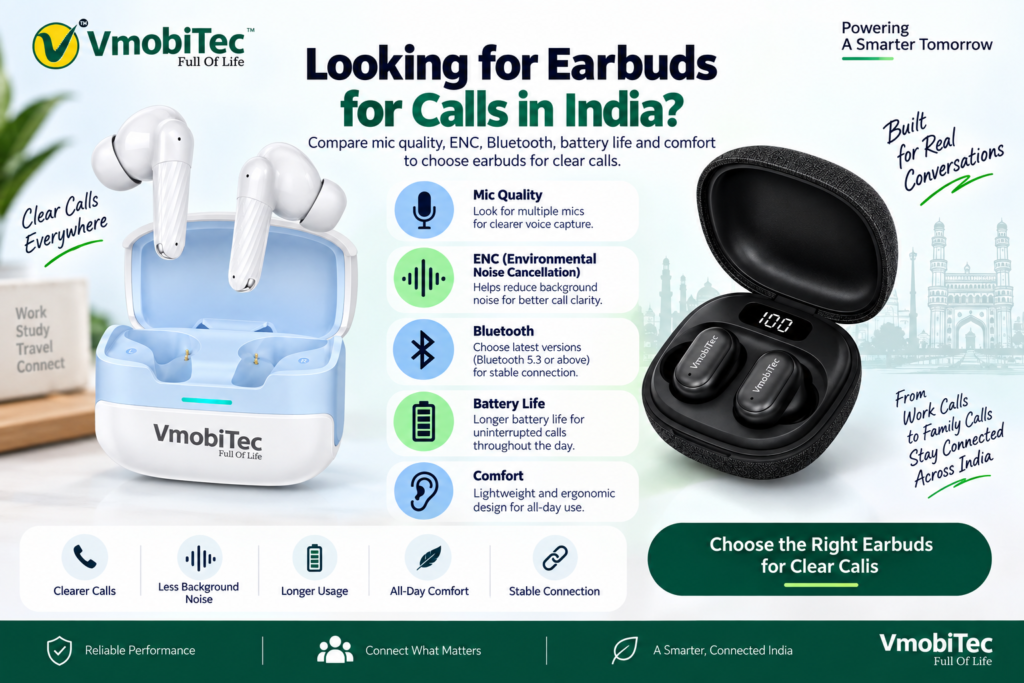
- Microphone quality
- ENC or ANC support
- Driver configuration
- Touch controls
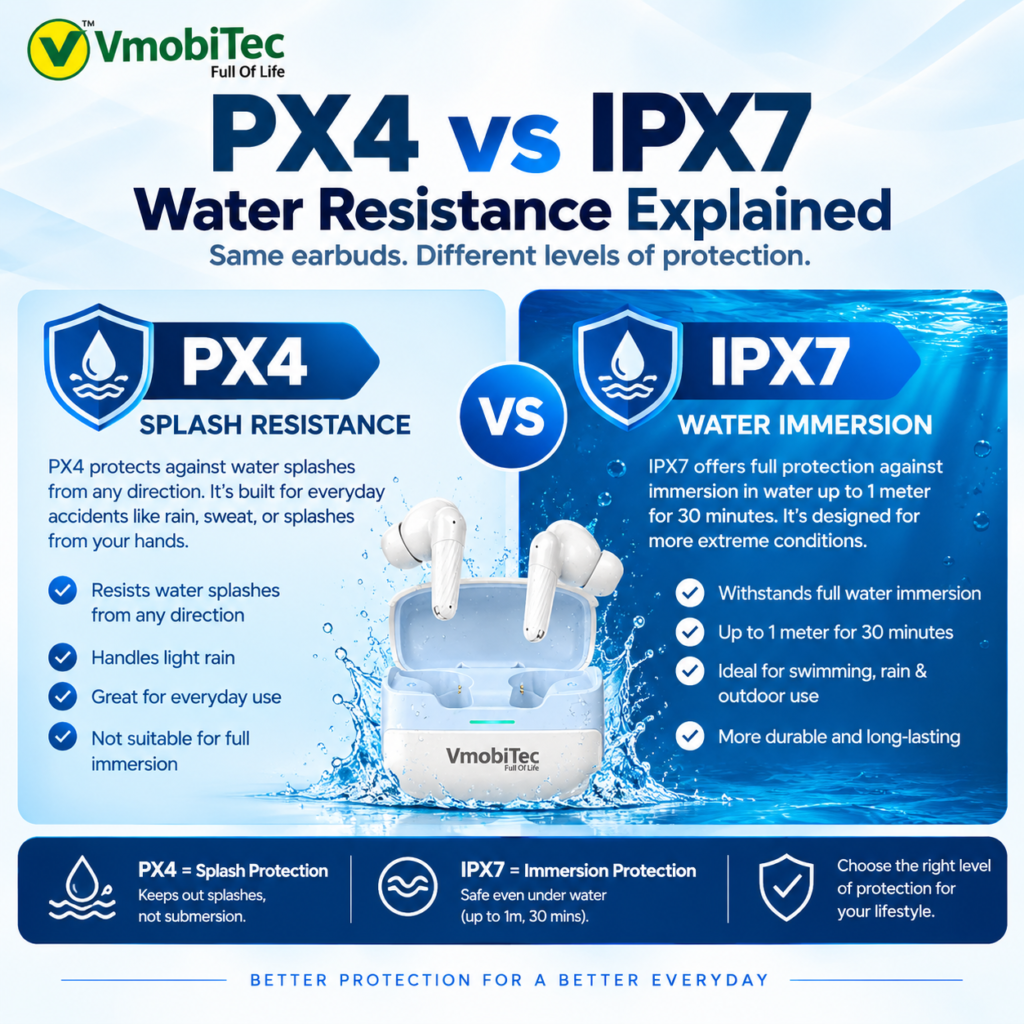
- Water or sweat resistance
- App support
- Warranty
- Device compatibility
For everyday users, a reliable connection and comfortable fit may matter more than an advanced feature that isn’t used regularly.
Dual Device Pairing Earbuds for Work From Home
Dual device pairing earbuds can be particularly useful for remote workers who use a computer and smartphone throughout the day. The feature reduces the need to manually reconnect earbuds when switching between work meetings and phone calls.
A typical workflow might involve:
- Laptop connected for Microsoft Teams or Google Meet.
- Smartphone connected for regular calls.
- Music or video played from the laptop.
- Incoming phone call interrupts the current activity.
- Earbuds switch to the call when supported.
- Laptop audio resumes after the call, depending on implementation.
This workflow is one reason multipoint has become a useful feature in business-oriented wireless audio products.
Does Bluetooth Multipoint Affect Battery Life?
Maintaining multiple Bluetooth connections can influence power consumption, but the actual battery impact varies by earbuds, Bluetooth implementation and usage. Manufacturers balance connection management, processing and power efficiency when designing wireless earbuds.
Battery life should therefore be evaluated using the manufacturer’s stated conditions rather than assuming a fixed reduction from multipoint.
If battery life is a major priority, compare both the earbud runtime and total runtime with the charging case.
Common Problems With Dual Device Connectivity
Multipoint earbuds can occasionally experience connection or switching issues, particularly when devices, applications or operating systems handle Bluetooth audio differently.
Common problems include:
- Earbuds connecting to the wrong device
- Audio remaining on the original device
- Calls not switching automatically
- Multipoint becoming disabled after a firmware update
- One device disconnecting
- Companion app configuration issues
- Bluetooth interference
How to Troubleshoot in dual device pairing earbuds
Start by checking that both devices have Bluetooth enabled and that the earbuds are actually configured for multipoint. If the problem persists, disconnect unused Bluetooth devices, restart the earbuds and source devices, and check the manufacturer’s instructions for firmware or app updates.
Why Dual Device Pairing Matters for Bluetooth Audio
Dual device pairing is primarily a convenience feature rather than a direct indicator of sound quality. It makes device management easier but doesn’t automatically improve audio fidelity.
When evaluating VmobiTec Bluetooth earbuds, treat multipoint as one part of the buying decision. Sound quality, microphone performance, comfort, battery life, codec support and connection reliability should all be considered.
A pair of earbuds with excellent multipoint but poor fit won’t be a good choice for long listening sessions. Likewise, excellent-sounding earbuds may be perfectly suitable if you only use one phone.
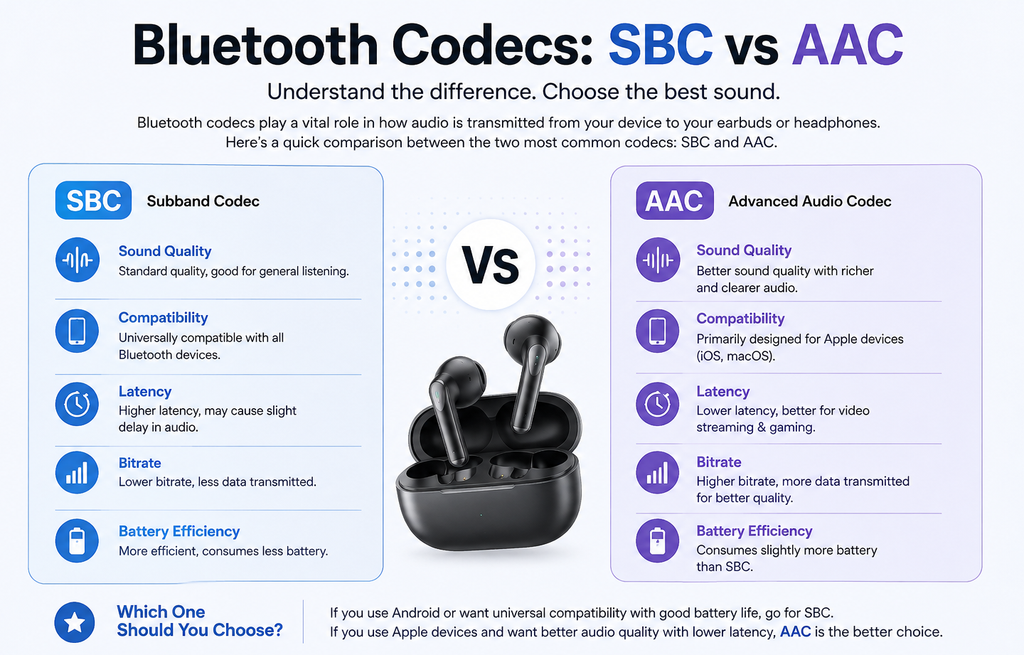
Bluetooth audio codecs determine how digital audio is encoded and transmitted between compatible Bluetooth devices. For more information about the Bluetooth audio standard, see the Bluetooth A2DP Specification. For Android codec support, refer to the Android Bluetooth Codec Types documentation.
Frequently Asked Questions About Dual Device Pairing Earbuds
Q: What are dual device pairing earbuds?
Dual device pairing earbuds are wireless earbuds that can maintain a connection with two compatible Bluetooth devices, such as a smartphone and laptop. The feature is useful for switching between music, video meetings and phone calls without repeatedly disconnecting and reconnecting the earbuds.
Q: Are dual pairing and Bluetooth multipoint the same?
Dual pairing and Bluetooth multipoint are related but aren’t always the same feature. Pairing allows earbuds to remember previously connected devices, while multipoint allows compatible earbuds to maintain connections with multiple devices and manage audio or calls between them. Buyers should verify the manufacturer’s specifications.
Q: Can multipoint Bluetooth earbuds connect to two phones?
Many multipoint Bluetooth earbuds can connect to two smartphones, but supported device combinations vary by model. Some earbuds support two phones, while others are designed primarily for a smartphone-and-laptop setup. Check the product documentation to confirm whether two-phone multipoint is supported.
Q: Can two devices play audio through multipoint earbuds simultaneously?
Most multipoint earbuds don’t combine two independent audio streams into one simultaneous output. Instead, the earbuds maintain connections with multiple devices and switch the active audio or call connection between them. Switching behavior depends on the earbud model, operating system and Bluetooth implementation.
Q: Are earbuds with multipoint connectivity good for work?
Earbuds with multipoint connectivity are useful for work because they can connect a smartphone and computer at the same time. The feature can make it easier to move between Microsoft Teams or Google Meet calls on a laptop and incoming phone calls without manually reconnecting the earbuds.
Q: How do I know if earbuds support dual device connectivity?
Check the official product specifications for terms such as Bluetooth Multipoint, multipoint connectivity, dual-device connection or two-device connection. A Bluetooth product that remembers several previously paired devices does not automatically support simultaneous connections, so the manufacturer’s documentation should be used for confirmation.
Q: Do VmobiTec earbuds support multipoint connectivity?
VmobiTec earbuds should be checked model by model for multipoint connectivity. Bluetooth features can differ between wireless earbud models, so customers should review the individual VmobiTec product specifications to confirm whether a particular model supports dual-device pairing or true Bluetooth multipoint connectivity.
Q: What features should I look for in dual device pairing earbuds?
The best dual device pairing earbuds should offer confirmed multipoint support, reliable Bluetooth connectivity, good microphone performance, comfortable fit and sufficient battery life. Buyers should also consider Bluetooth codecs, USB-C charging, ANC or ENC, water resistance and compatibility with their smartphone and computer.
Looking for VmobiTec Wireless Earbuds?
Explore the VmobiTec earbuds collection and compare Bluetooth connectivity, battery life, microphone performance, controls and other features before choosing a model.
Then link “VmobiTec wireless earbuds” to the earbuds category.
Final Verdict on Dual Device Pairing Earbuds
Dual device pairing earbuds are a practical choice for people who regularly move between two Bluetooth devices. Earbuds with multipoint connectivity can simplify the transition between smartphones, laptops and other compatible sources, particularly for work and calls.
The key is to distinguish multiple-device pairing from true multipoint connectivity. For shoppers considering VmobiTec wireless earbuds, check the individual model’s specifications and choose based on the complete combination of connectivity, sound quality, battery life, microphone performance and comfort.