
Blog

USB-C PD vs Quick Charge: Which Fast Charging Standard Is Better?
Fast charging has become a practical requirement for smartphones, tablets, earbuds, power banks and other portable electronics. But charger specifications can make the buying decision confusing, especially when comparing USB-C PD vs Quick Charge.
USB-C Power Delivery (PD) and Qualcomm Quick Charge (QC) are two major fast-charging technologies, but they aren’t identical. They use different approaches to negotiate charging power and have different levels of device and charger compatibility.
For Indian smartphone users, the better choice depends on the device, supported charging protocol, required wattage and whether the charger needs to power more than one type of device. Understanding these differences helps you avoid buying a high-wattage charger that your phone can’t actually use.
What Is USB-C PD?
USB-C PD, or USB Power Delivery, is a universal fast-charging standard that allows compatible devices and chargers to negotiate the appropriate voltage and current. USB-C refers to the connector, while USB Power Delivery refers to the charging protocol.
USB PD is maintained through the USB Implementers Forum (USB-IF) and is designed to work across a broad range of electronics. Depending on the USB PD version and equipment, the technology can support substantially more power than a typical smartphone charger requires.
USB-C PD has become particularly useful because the same charging ecosystem can cover smartphones, tablets, handheld gaming devices, laptops, headphones and power banks.
How USB-C PD Works
USB PD uses communication between the charger and the connected device. Instead of simply delivering maximum available power, the charger and device negotiate a suitable power level.
For example, a 65W USB-C PD charger doesn’t automatically force 65W into every phone. A compatible phone requests the power level it can safely accept, while the charger supplies the negotiated amount.
That makes PD especially useful for consumers who want one charger for multiple devices.
What Is Quick Charge?
Qualcomm Quick Charge is a proprietary fast-charging technology developed by Qualcomm for compatible devices and charging accessories. Quick Charge has evolved through multiple generations, including Quick Charge 2.0, 3.0, 4, 4+ and newer implementations.
Quick Charge is commonly associated with Android smartphones and accessories using Qualcomm’s charging ecosystem. However, compatibility varies by device manufacturer, charger and Quick Charge generation.
Quick Charge 3.0, for example, introduced more flexible voltage selection compared with earlier generations. Later versions added improvements in charging efficiency, USB-C compatibility and charging management.
How Quick Charge Works
Quick Charge allows compatible chargers and devices to communicate so the charger can provide an appropriate charging profile.
The exact charging performance depends on the Quick Charge version supported by both sides of the connection. A charger advertised as QC 3.0 won’t necessarily provide the same result on a phone that supports a different charging protocol.
This is one reason buyers should check the supported charging standards rather than choosing a charger based only on wattage.
USB-C PD vs Quick Charge: Key Differences
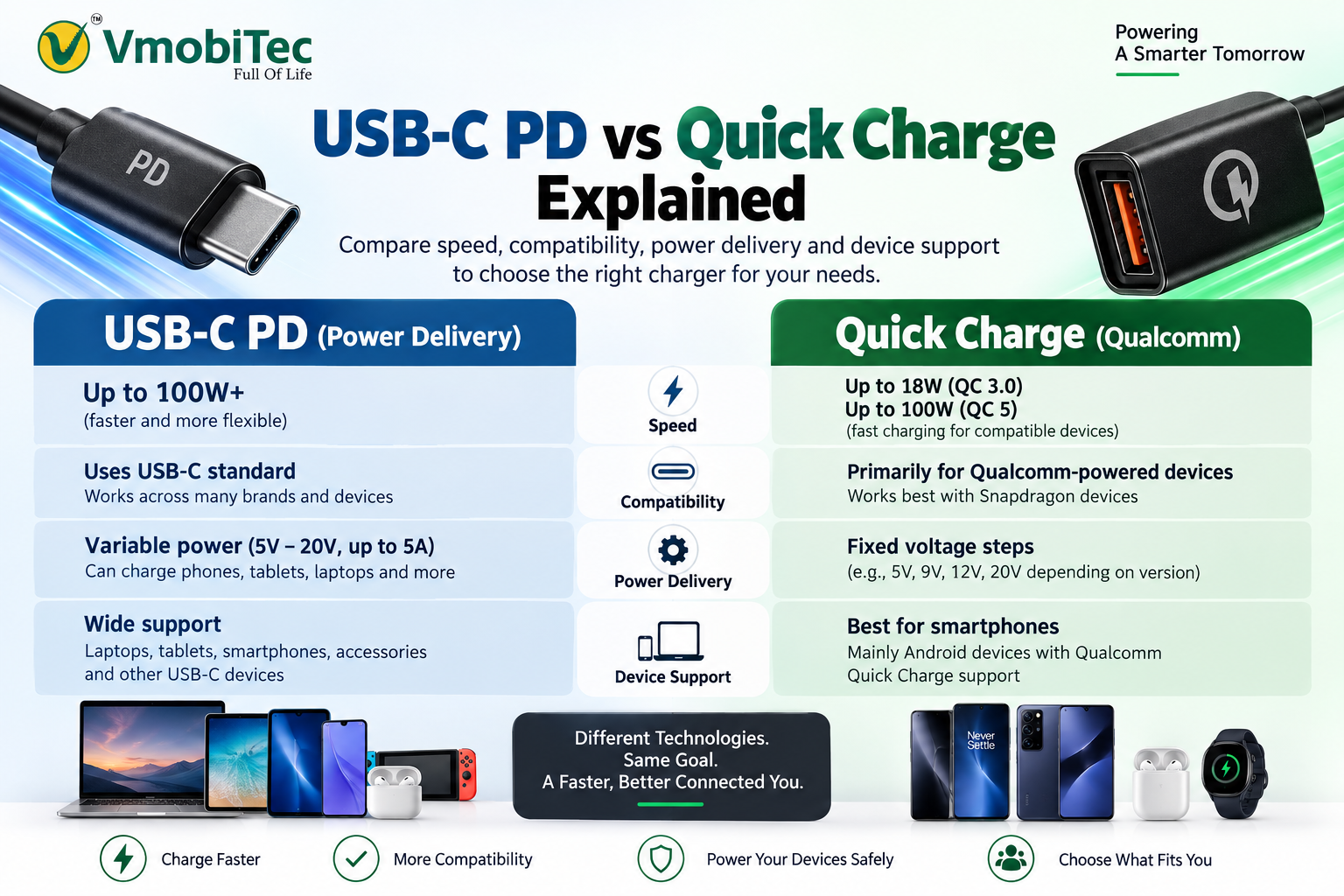
The main difference between USB-C PD vs Quick Charge is that USB PD is an industry-standard power-delivery protocol designed for broad device compatibility, while Quick Charge is Qualcomm’s fast-charging technology with compatibility tied more closely to supported implementations.
| Feature | USB-C PD | Quick Charge |
|---|---|---|
| Technology owner/standard | USB-IF standard | Qualcomm technology |
| Connector | Usually USB-C | USB-A or USB-C depending on implementation |
| Device range | Smartphones, tablets, laptops, power banks and more | Primarily compatible smartphones and accessories |
| Power flexibility | Broad range of negotiated power levels | Depends on Quick Charge generation |
| Laptop charging | Widely supported | Not the primary use case |
| Multi-device usefulness | Excellent with suitable multi-port chargers | Depends on charger design |
| Compatibility | Broad across modern USB-C devices | Requires compatible QC implementation |
| Best suited for | Mixed-device charging | Compatible fast-charging devices |
The table shows why USB PD is often the more versatile option for households with several different types of electronics. Quick Charge remains useful when a device specifically supports the technology and the charger provides the appropriate QC implementation.
USB-C PD vs Quick Charge: Which Charges Faster?
Neither USB-C PD nor Quick Charge is automatically faster in every situation; actual charging speed depends on the device’s maximum supported power, charging protocol, charger, cable and battery-management system.
A 100W charger does not mean a smartphone will charge at 100W. The phone determines how much power it can accept, and manufacturers may also use proprietary charging technologies to achieve higher charging speeds.
For example, a smartphone rated for 25W charging will generally not become a 65W charging device simply because it is connected to a 65W adapter.
Wattage Isn’t the Whole Story
Charging power can be represented approximately as:
Power (W) = Voltage (V) × Current (A)
However, real-world charging involves power negotiation, conversion losses, thermal management and battery protection.
Charging speed also changes during the charging cycle. A phone may accept higher power when the battery is relatively low and reduce the power level as the battery approaches a high state of charge.
Experienced accessory buyers therefore look at the complete charging specification rather than treating maximum wattage as the only performance indicator.
USB-C PD vs Quick Charge Compatibility
USB-C PD generally offers broader compatibility, particularly for modern USB-C devices, while Quick Charge performance depends on whether the connected device supports the relevant Qualcomm charging technology.
USB PD can be especially useful for consumers who own devices from different manufacturers. A single USB-C PD charger may support a smartphone, tablet, power bank, earbuds and laptop when each device supports the required USB-C charging specifications.
Quick Charge is more attractive when the buyer already knows that a smartphone or accessory supports the relevant QC standard.
Check the Device Specification First
Before purchasing either charger, check:
- Supported charging protocol
- Maximum charging wattage
- Required voltage and current
- USB port type
- Cable requirements
- Manufacturer-specific fast-charging technology
A charger can have impressive specifications and still deliver ordinary charging speeds if the connected device doesn’t support the same protocol.
USB-C PD vs Quick Charge for Smartphones
For smartphones, USB-C PD is usually the safer choice when broad compatibility matters, while Quick Charge can be a strong option for devices specifically supporting Qualcomm’s technology.
Modern Android smartphones can support multiple charging protocols simultaneously. Some manufacturers also use proprietary standards that can provide faster speeds with the company’s own charger.
For Indian consumers, this distinction matters because smartphones from Samsung, Xiaomi, OnePlus, Motorola, Google, Nothing and other manufacturers can have different charging requirements.
A USB-C PD charger may work perfectly with one phone while another phone may achieve its maximum charging rate only with a manufacturer-specific charger and protocol.
What About Samsung and Google Phones?
Many modern Samsung and Google devices use USB-C and support USB Power Delivery implementations for fast charging, although the exact charging capabilities vary by model.
The safest approach is to check the exact phone model’s official charging specification before buying a charger.
USB-C PD vs Quick Charge for Power Banks
USB-C PD is particularly valuable in power banks because it can support fast input and output charging across a range of USB-C devices.
A modern power bank may advertise specifications such as 20W, 22.5W, 30W or higher output. The number alone doesn’t guarantee identical performance across every smartphone.
Buyers should check whether the power bank supports:
- USB-C PD
- Quick Charge
- Power input through USB-C
- Fast USB-C output
- Multiple simultaneous outputs
- Pass-through charging, if required
- Appropriate cable support
For users carrying a smartphone, wireless earbuds and other accessories, a power bank with broader protocol support can be more practical than one designed around a single charging ecosystem.
USB-C PD vs Quick Charge for Laptops and Tablets
USB-C PD is generally the more appropriate technology for USB-C laptops and many tablets because USB Power Delivery was designed to handle a much wider range of power requirements.
A laptop may require considerably more power than a typical smartphone. USB-C PD allows compatible chargers to negotiate higher power levels suitable for devices such as laptops and tablets.
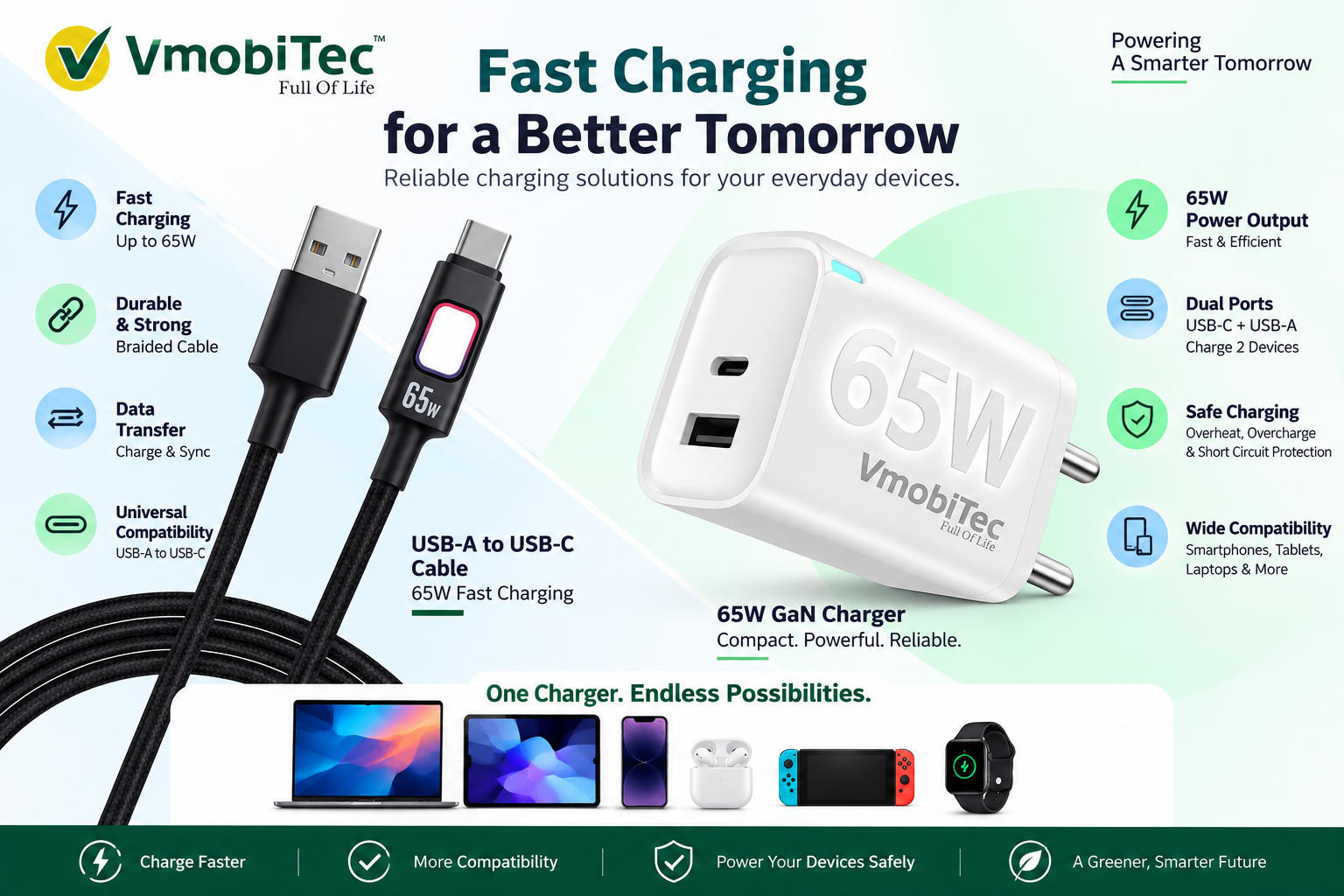
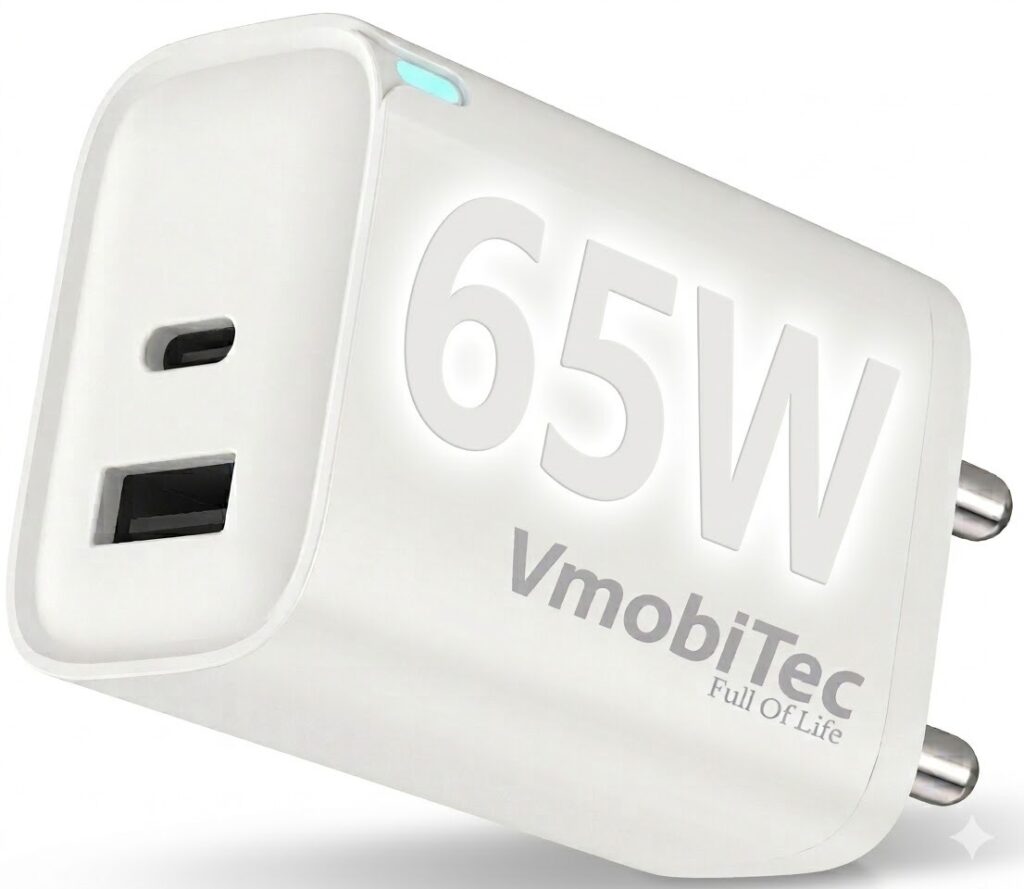
A 65W USB-C PD charger, for example, can be useful as a compact travel charger for compatible smartphones, tablets and some laptops.
Quick Charge’s primary strength is fast charging for compatible consumer electronics rather than serving as a universal laptop charging solution.
Which Cable Should You Use?
The cable is part of the charging system and must support the required power and data specifications for the intended charging setup.
Using a high-wattage charger with an unsuitable cable can prevent the system from reaching its expected charging performance.
USB-C cables can have different capabilities for current, power delivery and data transfer. Some cables are designed for higher-power applications and may include electronic identification components known as e-markers.
For high-power USB-C PD charging, always use a cable rated appropriately for the charger and device.
USB-A to USB-C vs USB-C to USB-C
USB-C to USB-C is generally the preferred setup for modern USB PD charging because it supports the USB-C ecosystem’s power negotiation capabilities.
USB-A to USB-C cables can still be useful, particularly with older chargers and Quick Charge accessories, but their charging capabilities depend on the charger, cable and connected device.
Benefits of USB-C PD
USB-C PD offers strong advantages for consumers who want one flexible charging standard across multiple modern devices.
- Broad device compatibility: USB PD can work with smartphones, tablets, laptops, power banks and other USB-C electronics.
- Flexible power delivery: Compatible devices negotiate the power they need instead of automatically receiving the charger’s maximum output.
- Excellent for travel: One suitable PD charger can potentially replace several lower-powered adapters.
- Useful for laptops: Higher-power USB PD makes the technology practical beyond smartphones.
- Multi-device potential: Multi-port PD chargers can support several compatible devices from one adapter.
- Strong long-term value: USB-C and USB PD are increasingly common across modern consumer electronics.
Benefits of Quick Charge
Quick Charge remains useful for compatible smartphones and accessories, particularly when a device is designed around Qualcomm’s charging technology.
- Fast charging for supported devices: Compatible phones can take advantage of the appropriate QC generation.
- Established technology: Quick Charge has been used across many generations of Android devices and accessories.
- Multiple implementations: Different QC generations provide different capabilities.
- Wide accessory availability: QC-compatible chargers, car chargers and power banks are commonly available.
- Useful for compatible Qualcomm ecosystems: Buyers with supported devices can benefit from matching charger technology.
USB-C PD vs Quick Charge: Which One Should You Buy?
Choose USB-C PD when you want maximum versatility across modern USB-C devices; choose Quick Charge when your device specifically supports QC and the charger matches the required Quick Charge standard.
| Your Requirement | Recommended Choice |
|---|---|
| Smartphone + laptop charging | USB-C PD |
| Smartphone + tablet | USB-C PD |
| Multiple USB-C devices | USB-C PD |
| Device specifically advertising QC support | Quick Charge |
| USB-C travel charger | USB-C PD |
| High-power laptop charging | USB-C PD |
| Older QC-compatible phone/accessory | Quick Charge |
| One charger for mixed modern devices | USB-C PD |
For most new purchases, I recommend prioritising protocol compatibility, USB-C support, appropriate wattage and cable quality rather than choosing purely by the advertised charging speed.
How to Choose a Fast Charger in India
Buying a charger based only on the words “fast charging” is a common mistake. A better buying process is straightforward.
- Check your device’s charging protocol: Look at the manufacturer’s specifications and identify whether the device supports USB PD, Quick Charge or another proprietary standard.
- Check maximum charging power: A 25W phone doesn’t need a 120W charger solely for speed. Higher wattage can provide flexibility for other devices, but it won’t override the phone’s charging limit.
- Check the port configuration: Decide whether you need USB-C, USB-A or a combination of both.
- Choose the right cable: Confirm that the cable supports the required power level and connector configuration.
- Consider future devices: If you expect to buy USB-C tablets, laptops or other electronics, a USB PD charger can provide more long-term flexibility.
- Buy from a reliable seller: Check product specifications, warranty information and manufacturer details before purchasing charging accessories.
Frequently Asked Questions About USB-C PD vs Quick Charge
Q: What is the main difference between USB-C PD vs Quick Charge?
A: USB-C PD is a USB-IF power-delivery standard designed for broad compatibility across USB-C devices, while Quick Charge is Qualcomm’s fast-charging technology. Both can provide fast charging, but compatibility depends on the device, charger and supported protocol. USB PD is generally more versatile for mixed-device charging.
Q: Is USB-C PD faster than Quick Charge?
A: USB-C PD isn’t automatically faster than Quick Charge. Charging speed depends on the phone’s supported protocol, maximum wattage, charger, cable and battery-management system. A high-wattage PD charger cannot force a device to accept more power than the device is designed to handle.
Q: Can I use a USB-C PD charger with a Quick Charge phone?
A: Compatibility depends on the phone model and its supported charging protocols. Some devices can accept USB PD even when they also support Quick Charge, while others may rely on a different fast-charging system. Check the manufacturer’s charging specifications before purchasing a replacement charger.
Q: Is USB-C PD better for power banks?
A: USB-C PD is an excellent choice for power banks because it can support fast charging for compatible smartphones, tablets and other USB-C electronics. When buying a power bank, check both input and output specifications because a USB-C port may support different charging capabilities in each direction.
Q: Do I need a special cable for USB-C PD?
A: The required cable depends on the charging power and configuration. Basic USB-C charging may work with an ordinary compatible cable, but higher-power USB PD applications require a cable rated for the intended power level. For best performance, match the cable rating to the charger and device.
Q: Can a 65W USB-C PD charger damage my phone?
A: A properly designed USB-C PD charger should not force 65W into a phone that requires less power. USB PD uses negotiation so the compatible device can request an appropriate power level. Buying quality chargers and using compatible cables remains important for safe and reliable charging.
Q: Which is better for a laptop, USB-C PD or Quick Charge?
A: USB-C PD is generally the better choice for compatible USB-C laptops because USB Power Delivery supports a broader range of power levels suitable for computers and mobile devices. Always check the laptop manufacturer’s required charging wattage and USB-C charging support before selecting an adapter.
Q: Should I buy a USB-C PD charger or Quick Charge charger?
A: For a new charger, USB-C PD is generally the stronger choice when you want compatibility across smartphones, tablets, power banks and potentially laptops. Quick Charge can still be a good option when your existing device specifically supports QC and you want a compatible replacement charger or accessory.
Final Verdict: USB-C PD vs Quick Charge
The USB-C PD vs Quick Charge decision comes down to compatibility rather than a simple winner. USB PD offers broader versatility across modern USB-C electronics, while Quick Charge remains valuable for devices that specifically support Qualcomm’s charging technology.
For Indian consumers buying a new charger or power bank, check the device protocol, maximum supported wattage, port configuration and cable requirements before purchasing. Choosing the right combination can provide faster, more reliable charging without paying for specifications your device cannot use.
For compatible chargers, power banks, cables and other mobile accessories, VMobitec can serve consumers looking for affordable options across everyday electronics.




6 thoughts on “”